Recent developments indicate a significant move toward deploying Large Language Models (LLMs) on private servers and local infrastructure, a trend spurred by increasing demands for data privacy, enhanced security, and tailored functionalities. While public cloud services remain a prevalent option, a growing number of organizations are opting for self-hosted solutions to maintain direct control over their AI operations.

Key advantages cited for local LLM deployment include unparalleled privacy, greater customization of workflows, and finer control over costs and security. This shift allows businesses to sidestep the potential data exposure risks associated with third-party cloud providers, ensuring sensitive information remains within their own network perimeters. The ability to fine-tune models for specific tasks and integrate them seamlessly into existing proprietary systems further underscores the appeal of in-house solutions.
Hardware and Infrastructure Considerations
The technical requirements for running LLMs locally are substantial, often necessitating specialized hardware. High-performance Graphics Processing Units (GPUs), such as the Nvidia A100 with its significant VRAM (40GB or 80GB), are frequently recommended for efficient model storage and inference. Some setups suggest that a single server equipped with models like the L40S could potentially support hundreds, if not thousands, of users.
Read More: AI Chatbots Give Bad Health Advice, Study Finds
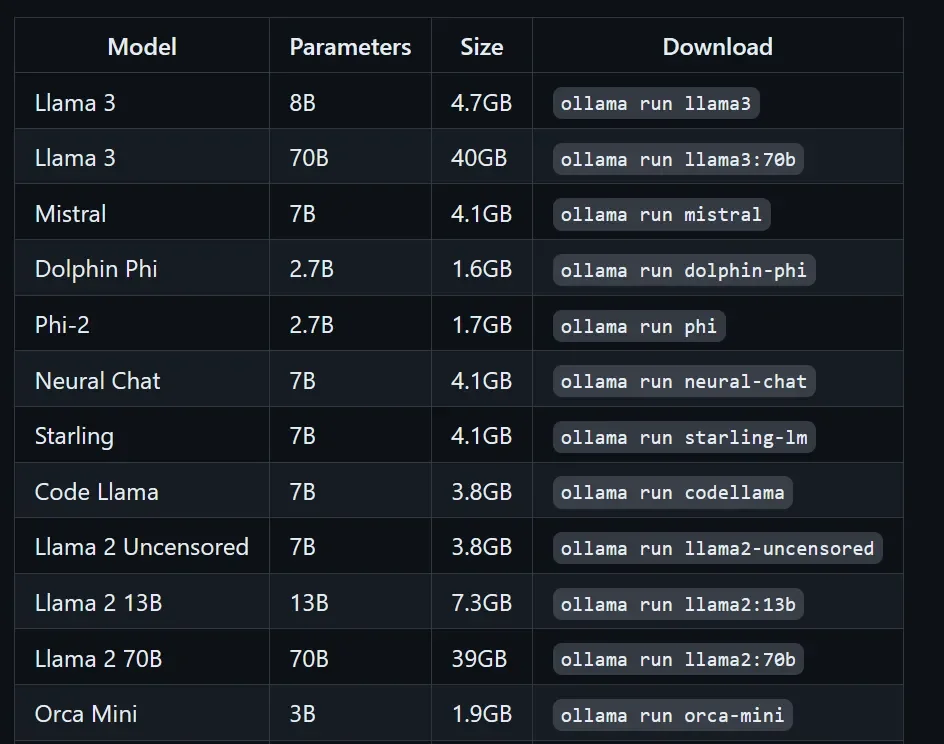
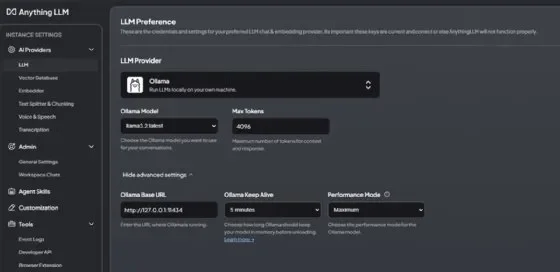
For organizations looking to manage these deployments, frameworks like Ollama and LM Studio have emerged as popular choices. These tools simplify the process of downloading, installing, and running various open-source LLMs.

Ollama offers straightforward installation and management of models, including options for server-wide access and integration with systems like Kubernetes for load balancing. It supports a range of models, from lightweight ones suitable for minimal hardware to more powerful versions like Llama 3 70B for advanced tasks. The platform also facilitates document analysis through Retrieval-Augmented Generation (RAG) setups, enhancing its utility for specific data interpretation.
LM Studio provides a user-friendly interface for discovering, downloading, and running LLMs. It also features a local API server functionality, making it accessible for developers through REST APIs and compatible endpoints, similar to OpenAI and Anthropic. The choice of model within LM Studio is often dictated by available RAM and VRAM.
Operationalizing Local LLMs
Successfully implementing local LLMs requires careful planning regarding infrastructure, software, and operational practices.
Performance Metrics: Key considerations during deployment include evaluating inference latency, the quality of responses, and the memory footprint of the chosen models.
Scalability and Availability: To ensure a fluid user experience, even during peak demand, systems need to be designed for scalability. This includes employing strategies like load balancing, particularly in environments like Kubernetes where each LLM instance might have its own endpoint.
Maintenance and Updates: Regular updates to the underlying data, especially in RAG systems, are crucial for maintaining the relevance and accuracy of the LLM's outputs.
Technical Implementations and Tools
GPU Acceleration: Utilizing NVIDIA drivers is often a prerequisite for achieving high performance on servers.
Service Management: Tools like
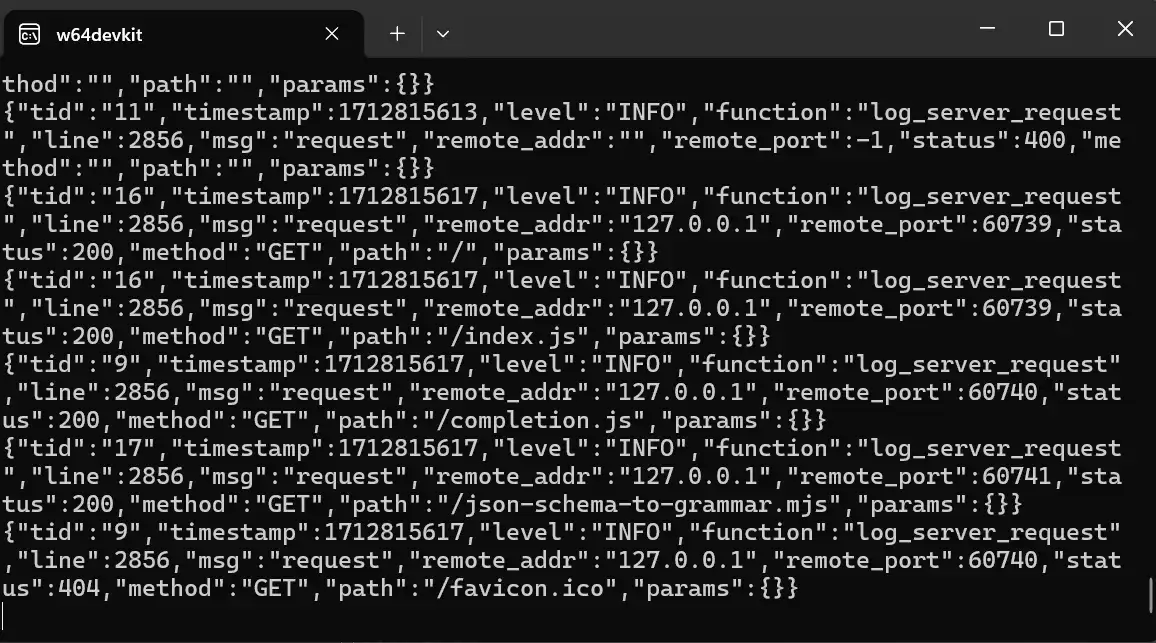
systemdon Linux or configuring Windows services ensure that LLM applications start automatically and run reliably.Firewall Configuration: Necessary network ports, such as the Ollama API port (11434/tcp), need to be opened in firewalls to allow access.
Multi-User Environments: For broader accessibility within an organization, deploying behind a reverse proxy with authentication is a recommended practice.
Development Frameworks: For more technical users, Python scripts can be developed to interact with local LLMs for data analysis, processing CSV, Excel, or JSON files. Frameworks like LM Studio's CLI (
lms server start) also provide programmatic control.
Contextual Background
The emergence of powerful LLMs has presented both opportunities and challenges. While their capabilities for understanding and generating human-like text are revolutionary, concerns over data privacy, the cost of cloud-based services, and the desire for bespoke AI solutions have driven the exploration of alternative deployment models. This move towards local LLM execution signifies a maturing understanding of AI's potential, balanced against the practical realities of data security and operational control.
Read More: Billionaire Prenup Divorce Dispute Miami April 2026