


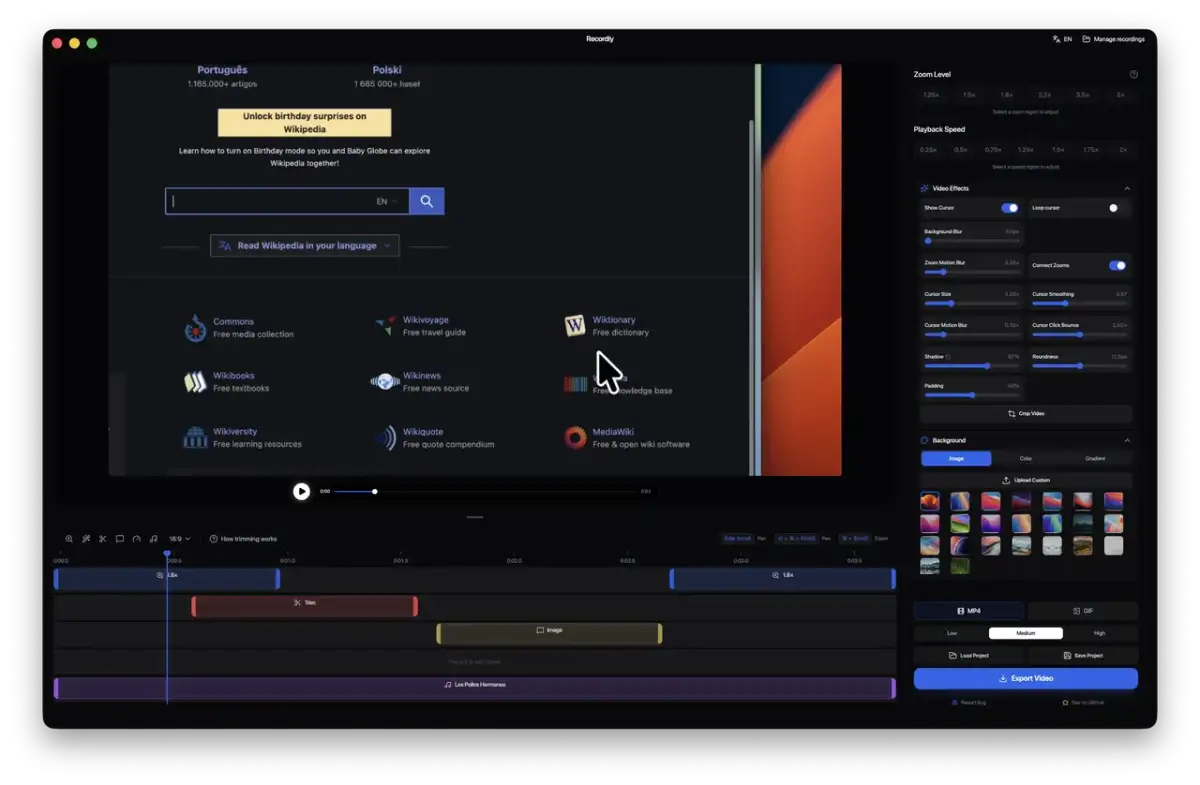
Recordly, a recently emerged open-source application, is making waves by offering features akin to commercial software like Screen Studio, but without the cost. This tool focuses on transforming raw screen captures into polished videos through an integrated recording and editing workflow. It allows users to record their screen, then immediately dive into a timeline editor to adjust video speed, add annotations, manage audio tracks, and manipulate video length, all before exporting to MP4 or GIF formats.
The application touts a suite of features designed to enhance the visual appeal of screen recordings. Key among these are "smart motion effects" that automatically zoom in on cursor activity, providing a dynamic focus on action. It also incorporates cursor smoothing with motion blur and click bounce effects, alongside background styling options, aiming to streamline the post-production process. Users can import external audio and webcam footage, integrating them seamlessly into the timeline.
Read More: Chrome mimeHandler API lets extensions handle file types
Recordly is built on a cross-platform architecture, offering native capture support on different operating systems. On Windows, it utilizes the native Windows Graphics Capture (WGC) and WASAPI for audio on supported builds (Windows 10 Build 19041+). macOS employs ScreenCaptureKit, while Linux relies on Electron's desktop capture APIs. The project's GitHub repository indicates active development, with a substantial number of commits and contributors, under the AGPL 3.0 license.
Core Functionality and Workflow
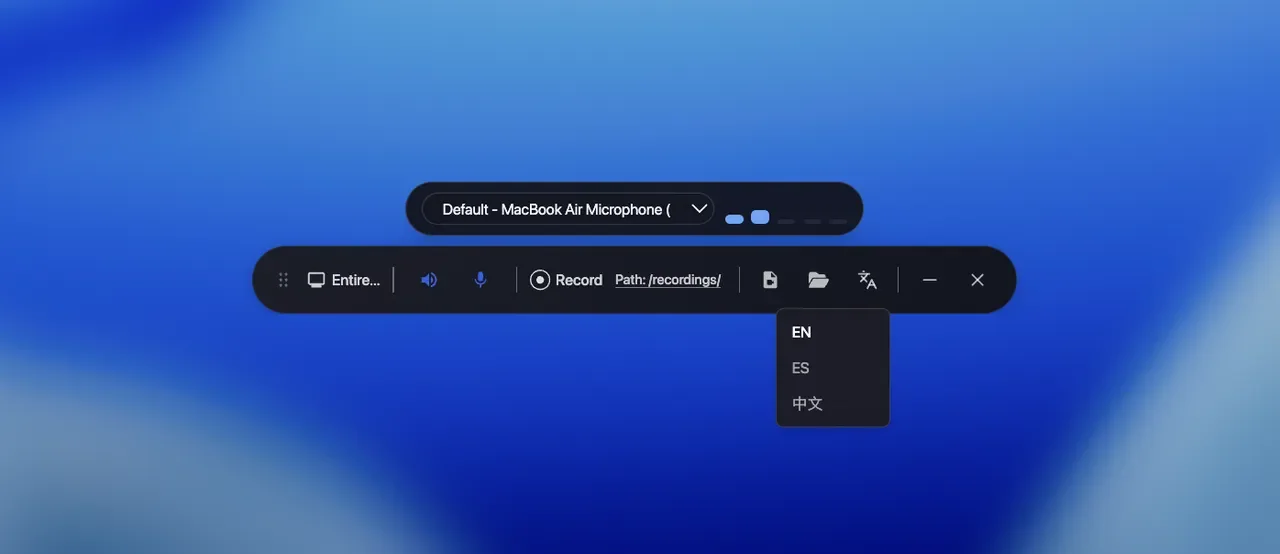
Recordly's intended workflow moves from direct recording to immediate editing. Users can select either the entire screen or a specific window for capture, bypassing the need for separate editing software by jumping straight into the timeline editor. This editor supports drag-and-drop functionality for trimming, creating speed regions (for slow-motion or fast-forward effects), adding text and image annotations, and incorporating extra audio tracks. Project files are saved in a custom .recordly format, allowing users to resume work or load progress.
Read More: LLM Council AI System Released 7 April 2026 for Better Accuracy
Polishing and Styling
Beyond basic editing, Recordly offers tools for visual enhancement. The "Frame Styling Studio" allows for the application of built-in wallpapers, gradients, blurs, and shadows, with options for custom uploads and aspect ratio presets for social media. Dynamic webcam integration is also a feature, enabling a floating bubble overlay with customizable positions and zoom-reactive scaling.
Technical Underpinnings and Licensing
Recordly's technical foundation appears to be a fork of another open-source project, OpenScreen, with substantial modifications to enable its advanced features. The project's licensing under AGPL 3.0 ensures it remains free and open-source, prohibiting subscriptions and aiming for perpetual free use. The active development, indicated by a significant number of commits and contributors on its GitHub page, suggests ongoing maintenance and feature expansion.
Platform-Specific Considerations
While cross-platform, Recordly's cursor hiding capabilities vary by operating system. On Windows, it uses native WGC for cursor exclusion, but this requires specific build versions. Linux, relying on Electron, currently does not support cursor hiding. The project acknowledges these limitations and encourages community contributions to address them.
Read More: BEREC Asks for Mobile Network API Ideas from Developers
Background:
The emergence of Recordly arrives at a time when screen recording and video creation tools are increasingly vital for developers, educators, and content creators. Commercial offerings often come with subscription fees or limited free tiers. Open-source alternatives, particularly those aiming for a professional feature set, address a clear demand for accessible, high-quality tools. Recordly positions itself as a direct, cost-free competitor to established proprietary solutions, leveraging community development and open-source principles to achieve its aims. Its connection to Screen Studio, a known commercial product, suggests an intention to replicate or surpass its user experience and output quality.





