

Recent reports indicate a significant push by Docker to integrate artificial intelligence capabilities directly into its containerization platform. The company has introduced Docker Model Runner (DMR), a feature designed to simplify the process of downloading, running, and interacting with Large Language Models (LLMs) directly on a user's local machine. This move appears aimed at democratizing access to AI models, bypassing the need for cloud-based subscriptions and complex infrastructure setups.
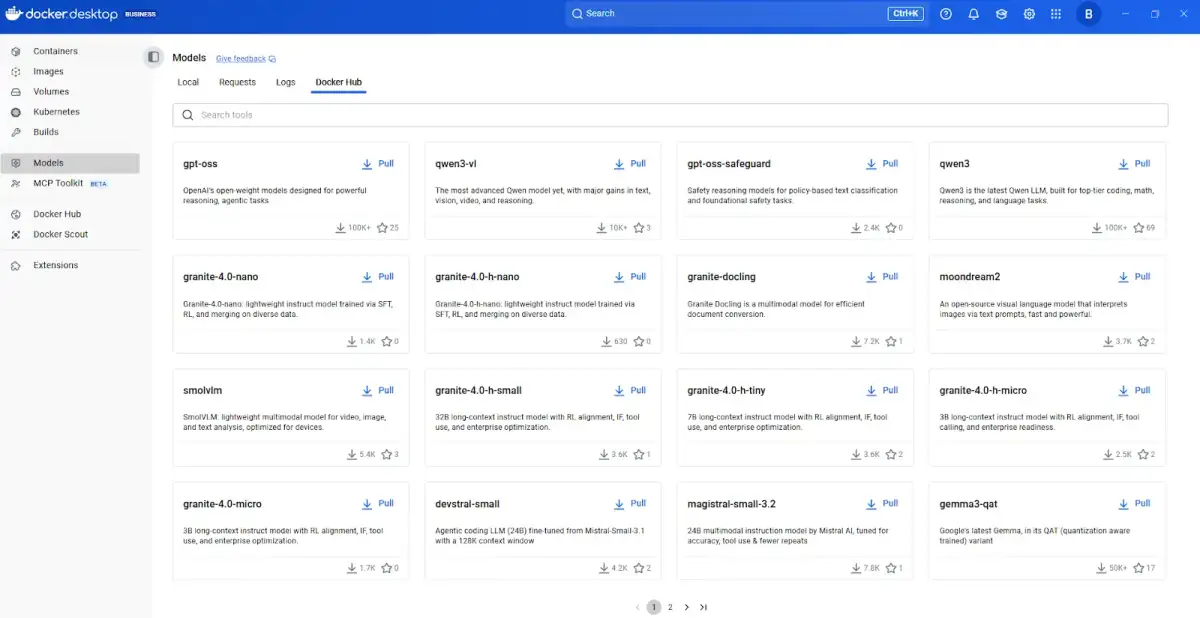
Docker Model Runner enables users to pull AI models from Docker Hub, similar to how container images are managed, and then execute them using straightforward command-line instructions. The system automatically leverages available hardware acceleration, including NVIDIA GPUs on Windows and Apple Silicon's Metal on macOS, for faster inference. A key aspect of DMR is its provision of an OpenAI-compatible API endpoint, which allows developers to seamlessly integrate locally running models into applications already designed for cloud AI services. This feature promises to lower the barrier to entry for developing and testing Generative AI applications, allowing for offline use and local model caching.
Read More: Chrome mimeHandler API lets extensions handle file types
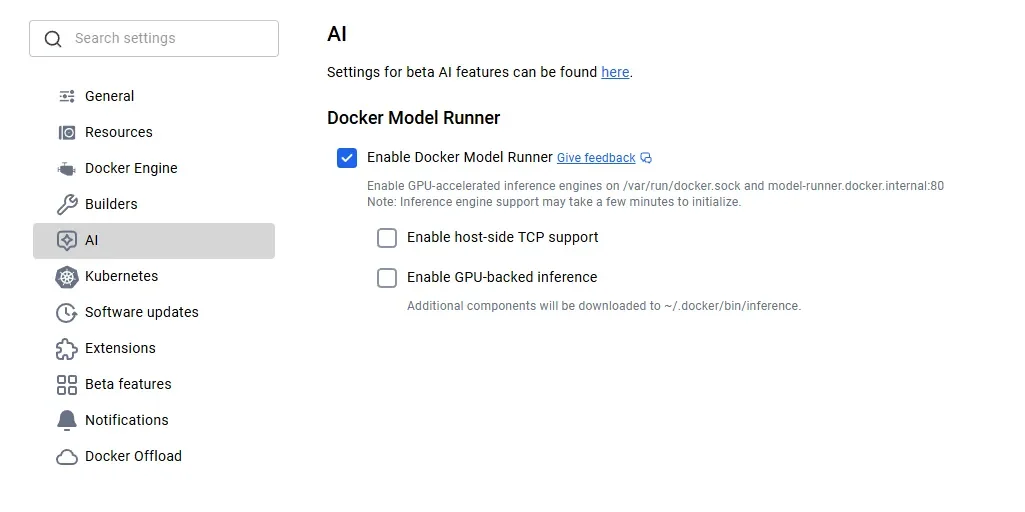
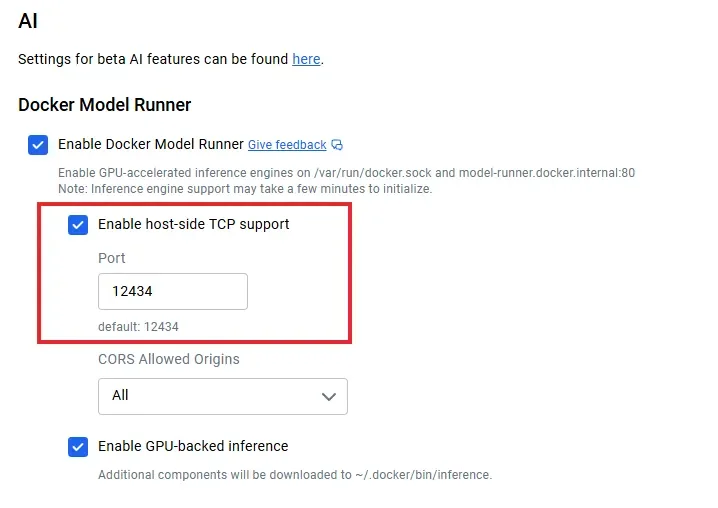
The practical implementation of Docker Model Runner appears relatively uncomplicated, according to various guides and tutorials. Users are typically advised to ensure they have the latest version of Docker Desktop installed and then enable the Model Runner feature through the application's settings. Subsequently, models can be downloaded using commands like docker model pull <model_name> and executed via docker model run <model_name> <prompt_or_command>. The tool supports a growing library of models available on Docker Hub's ai namespace, with examples ranging from lightweight models like smollm2 to more substantial ones such as llama3.2.
Read More: LLM Council AI System Released 7 April 2026 for Better Accuracy
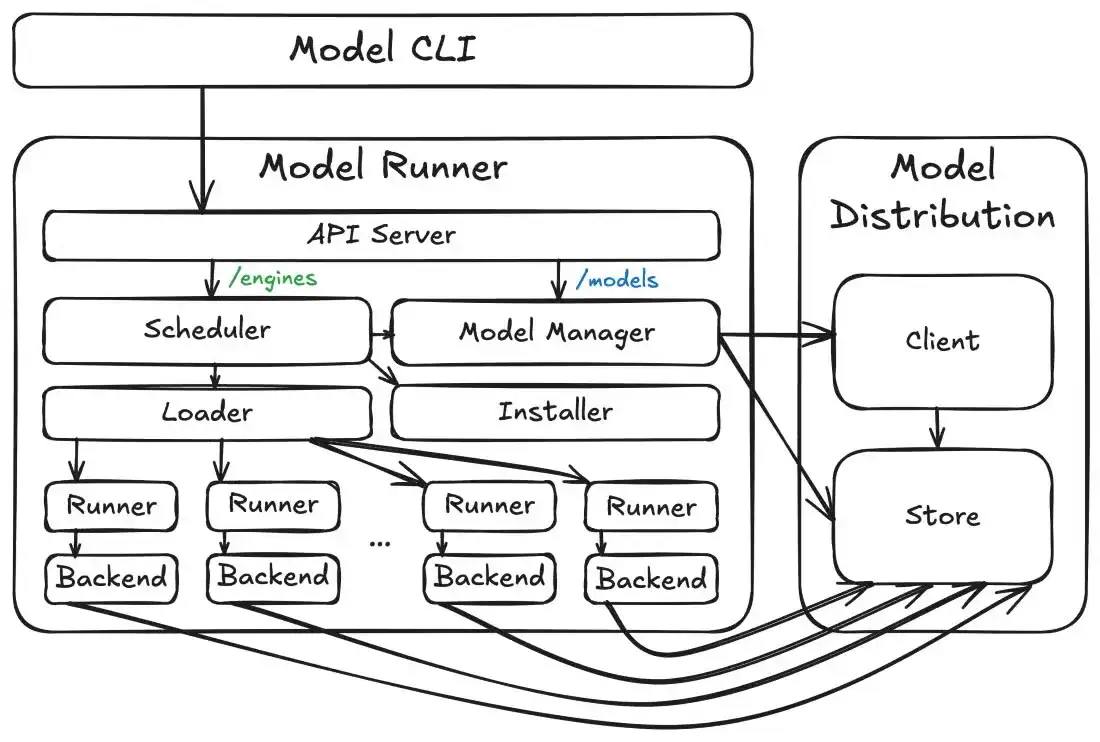
Architecture and Integration
Under the hood, Docker Model Runner appears to utilize llama.cpp as a primary inference engine, offering compatibility across macOS, Windows, and Linux. The feature integrates directly with Docker Compose, enabling the configuration of local GenAI stacks that can include DMR alongside other development tools like LangChain for prompt management and LlamaIndex for data retrieval. This allows for a unified, single-command deployment of complex AI applications locally. The ability to dynamically load and unload models is also mentioned as a feature designed to conserve system resources.
Potential Implications
The introduction of Docker Model Runner suggests a broader industry trend towards decentralized AI deployment. By abstracting the complexities of model management and execution into a familiar containerized workflow, Docker aims to empower a wider range of developers and enthusiasts to experiment with and build AI-powered applications. This could foster greater innovation by reducing reliance on third-party cloud providers and offering a more cost-effective and private environment for AI development and testing. The focus on local execution also addresses concerns about data privacy and security, as sensitive information may not need to leave the user's local environment.
Read More: BEREC Asks for Mobile Network API Ideas from Developers
Background
Docker, a company long associated with simplifying software deployment through containerization, has been steadily expanding its offerings beyond traditional application deployment. The advent of Docker Model Runner represents a significant step into the burgeoning field of artificial intelligence, specifically targeting the operational challenges of running AI models. Previously, setting up and running LLMs locally often involved intricate dependency management and platform-specific configurations. Docker Model Runner aims to standardize this process, leveraging Docker's established ecosystem and user base to bring AI model deployment into the mainstream developer workflow. This initiative aligns with the increasing demand for on-device AI processing and the desire for greater control over AI model execution.





