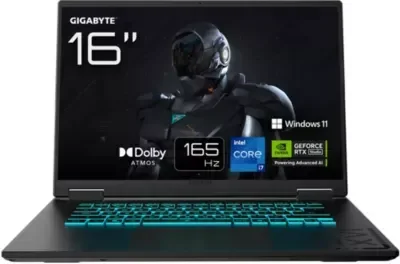
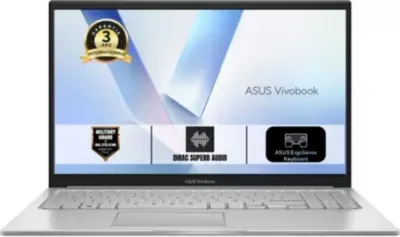
A performance bottleneck exists when one primary component—either the Central Processing Unit (CPU) or Graphics Processing Unit (GPU)—fails to keep pace with the other, effectively forcing the system to operate at the speed of its weakest link. As of today, 04/07/2026, the reliance on hardware monitoring software remains the primary method for users to identify these gaps in processing parity.
Technical Metrics of Imbalance
The functional gap between these components results in distinct observable outputs for the end-user:
CPU Bottleneck: The processor cannot process logic or draw calls fast enough for the graphics card, often resulting in erratic frame pacing, input lag, or "stutter" during intensive gaming.
GPU Bottleneck: The graphics card lacks the raw throughput to render high-resolution assets requested by the processor, causing low frame rates despite high visual fidelity.
| Component | Primary Function | Failure Mode |
|---|---|---|
| CPU | Logic / Instruction Handling | Micro-stutter / Low min-FPS |
| GPU | Visual Rendering | Low avg-FPS / Reduced resolution |
Addressing the Asymmetry
Data-driven optimization suggests that users verify system utilization via diagnostic tools before adjusting parameters. Because cooling solutions and hardware architectures vary, "fixes" are often circumstantial rather than universal.
Lowering CPU-intensive settings (such as physics, draw distance, or crowd density) can alleviate a processor-bound system.
Increasing visual resolution or anti-aliasing can shift the burden back toward a more capable GPU, though this does not increase raw processing power.
Investigative Context
The discourse surrounding ' Bottlenecking ' has shifted over recent years from niche technical troubleshooting to mainstream consumer guidance. Historical reports from 2021 through 2025 emphasize that no single PC build is perfectly efficient in every scenario.
Read More: Chrome mimeHandler API lets extensions handle file types
"A CPU or GPU bottleneck occurs when one component limits the performance of the other, reducing overall system efficiency."
The industry framing remains consistent: consumers are encouraged to use in-game overlays to capture real-time utilization data. If the GPU remains at low usage while the CPU nears maximum capacity, the logic path is constricted. Conversely, high GPU utilization with low frame rates typically indicates the visual rendering limit of the system has been reached. Balancing these components involves either adjusting software overhead or replacing hardware that creates the disparity.