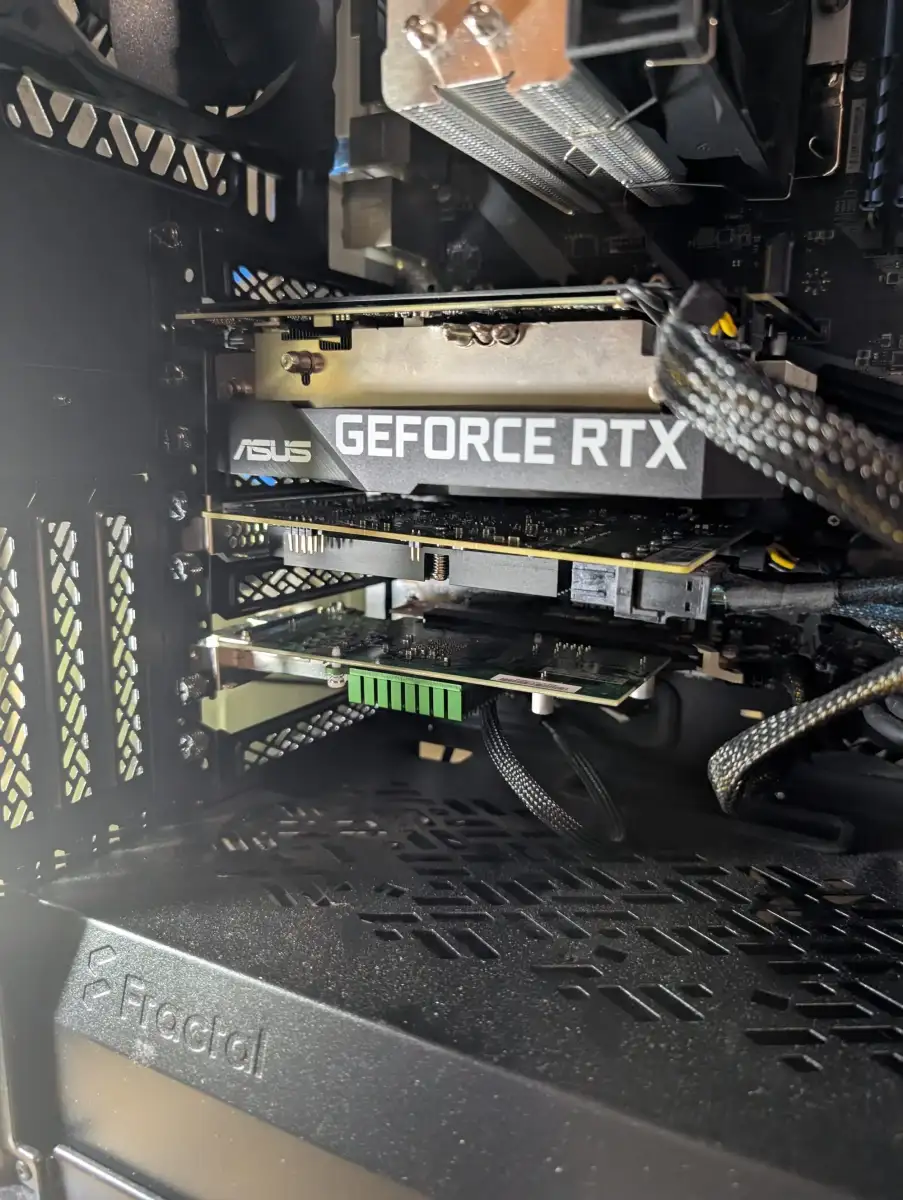
Recent shifts in the hardware market present an unlikely avenue for individuals seeking to run large language models (LLMs) locally without immense financial outlay. A particular focus has landed on server-grade Graphics Processing Units (GPUs) previously tethered to proprietary interconnects, now finding a less restrictive path to consumer-grade motherboards. This development promises a significant reduction in the cost of entry for local LLM deployment, though the window of opportunity may be transient.
This unconventional access hinges on adapter boards that bridge the gap between proprietary GPU sockets, such as SXM2, and the ubiquitous Peripheral Component Interconnect Express (PCIe) standard. A 16GB NVIDIA V100 GPU, typically found in server environments and notoriously difficult to integrate into standard consumer systems, was recently acquired for approximately $100. The additional cost for the necessary adapter board was reported to be around $100 as well. This stands in stark contrast to the price of PCIe versions of similar enterprise-grade cards, which are anticipated to cost upwards of a thousand dollars. The V100, while not the newest, offers substantial VRAM for its price point, making it a compelling option for those prioritizing memory capacity over cutting-edge speed.
Read More: Trump Media Reports $405.9 Million Loss in Q1 2026
The Role of PCIe in AI's Evolution
The PCIe interface itself is increasingly recognized for its suitability in supporting the distributed and disaggregated architectures common in generative AI. PCIe technology, with its inherent low-latency characteristics and hardware coherency, is being positioned as a key enabler for scaling AI systems. Discussions are underway within the PCI-SIG community regarding the exploration of PCIe over optical links, signaling a forward-looking perspective on the interface's role in future AI applications. The bandwidth and scalability offered by PCIe are seen as crucial for meeting the escalating demands of AI workloads.
Read More: AI Images Fool People: Harder to Spot Fakes Since August 2026
Performance Considerations and Trade-offs
The number of PCIe lanes allocated to a GPU directly influences LLM performance, particularly in multi-GPU setups. For intensive tasks like training, a minimum of x8 or x16 lanes per GPU is generally recommended. While PCIe x16 offers the fastest load times and is considered standard for high-end workstations, x8 configurations show only a minor performance dip, especially for inference tasks. An x4 configuration, however, can lead to noticeable slowdowns during loading and significant drops in training efficiency, rendering it less suitable for demanding training scenarios, though functional for single-GPU inferencing.
In contrast, proprietary interconnects like NVIDIA's SXM, coupled with technologies like NVLink, offer substantially higher inter-GPU bandwidth. This translates to potentially faster LLM inference speeds, up to 2.6 times faster in some comparisons between SXM and PCIe versions of the same high-end GPU, such as the H100. SXM architectures are particularly advantageous for large-scale, enterprise-level training and unification of multiple GPUs.
Read More: Wall Street Firms Hire Crypto Workers With High Salaries
GPU Hardware for Local LLMs: A Shifting Landscape
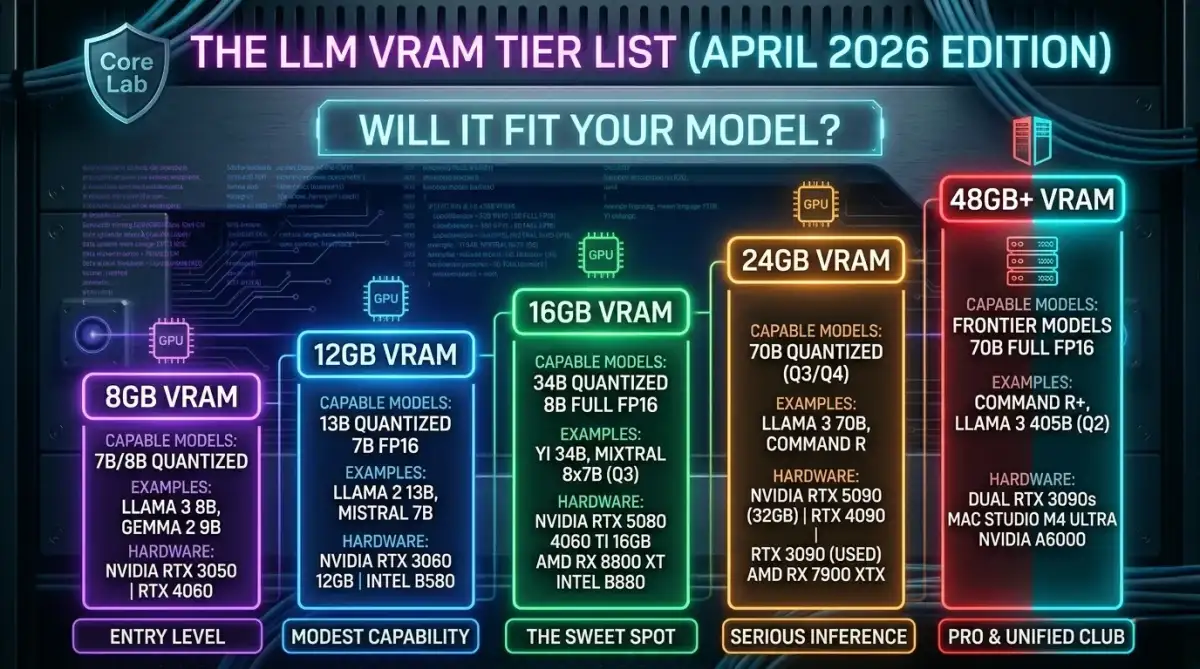
The quest for affordable hardware for local LLM deployment has been a dynamic one. The recent surge in interest in acquiring older, server-grade GPUs stems from their potential to offer significant VRAM at a fraction of the cost of contemporary consumer cards. For instance, a 7B model might perform adequately with 12-16GB of VRAM, while larger models, such as 34B or even 70B models at lower quantization levels, become feasible with similar or slightly increased memory capacity.
The architecture of PCIe switches is also evolving to address data flow bottlenecks. Innovations like the Rocket 7638D are designed to provide dedicated, high-bandwidth pathways directly from storage to the GPU, bypassing traditional I/O limitations and ensuring GPUs are not starved for data. This move toward direct memory access, facilitated by advanced PCIe switching, aims to maximize GPU utilization by eliminating data transfer bottlenecks.
Read More: Datasection buys 10,000 Nvidia GPUs for AI supercluster in Sydney
The practicalities of building multi-GPU systems for AI work often involve careful consideration of PCIe lane configurations. Motherboard designs and CPU capabilities dictate the number of lanes available to each slot, impacting the overall bandwidth. For example, a common consumer CPU might support two GPUs at x8 each via direct CPU lanes, with an additional GPU utilizing chipset lanes at x4. The total number of PCIe slots on a motherboard does not always equate to equivalent bandwidth or usability across all configurations.
Ultimately, the current opportunity to repurpose server GPUs for consumer AI tasks on consumer hardware represents a temporary arbitrage. As awareness of this avenue spreads, market dynamics are likely to adjust, potentially diminishing the cost advantage. For those looking to experiment with local LLMs on a budget, this period offers a unique, albeit possibly short-lived, chance to acquire powerful hardware at a significantly reduced price.
Read More: Nintendo Switch 2 Price Rises to $499.99 in US This September