


Recent reports suggest that Linux Mint, long considered a prime choice for users seeking an alternative to Windows, may no longer hold its entrenched position as the optimal replacement. This assessment arises from an examination of the evolving landscape of user needs and the capabilities of different Linux distributions. While Linux Mint continues to offer a familiar interface and a relatively straightforward user experience, other options are emerging that may better cater to the specific demands of those transitioning from Windows.
The core tension lies in whether Linux Mint still represents the most accessible and feature-complete transition for the average Windows user. Historically, Linux Mint, particularly with its Cinnamon desktop environment, was lauded for mimicking the Windows user interface, including its taskbar and start menu, making the switch less daunting. However, newer alternatives are being highlighted for their modern features, enhanced user experience, and potentially broader compatibility, prompting a re-evaluation of Linux Mint's long-standing recommendation.
Read More: Chrome mimeHandler API lets extensions handle file types
Historical Context and Evolving User Expectations
For years, Linux Mint was the go-to recommendation for individuals looking to move away from Windows. Its development focused on providing a user-friendly environment that reduced the learning curve for those accustomed to Microsoft's operating system.
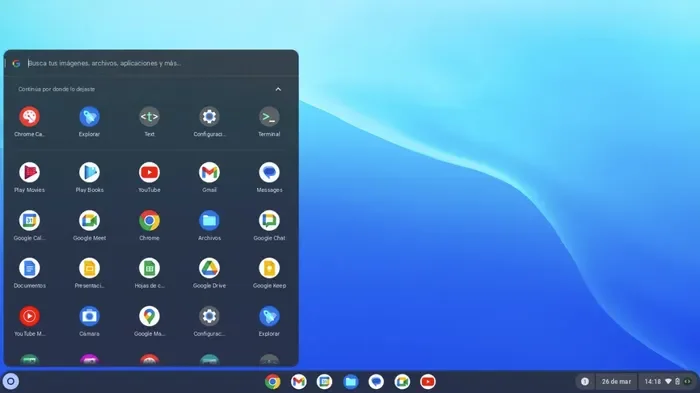
Early Adoption: Linux Mint was frequently suggested because of its perceived ease of use and its ability to offer a desktop experience akin to Windows. This made it a popular choice for "Windows refugees."
User Experience Focus: The Cinnamon desktop environment, in particular, was designed to provide a familiar layout with a taskbar and start menu, aiming to make the transition as seamless as possible.
Current Landscape Shift: As user expectations evolve and other Linux distributions advance, the benchmark for a "best" Windows alternative has risen. This has led to a re-examination of whether Linux Mint still meets these new criteria as effectively as it once did.
Performance and User Interface Comparisons
The user interface and the overall user experience are critical factors for individuals migrating from Windows. Linux Mint's Cinnamon interface has been praised for its resemblance to Windows, offering a familiar starting point.
Linux Mint's Familiarity: Linux Mint's Cinnamon desktop aims to replicate the Windows experience with its taskbar and start menu, facilitating a less disorienting transition.
Alternative Interfaces: Distributions like Zorin OS are noted for their more modern, commercial operating system feel, offering features such as centralized settings and advanced touchpad gestures. This suggests a potential leap in user experience that might be more appealing to some.
Installation and Updates: While Linux Mint is recognized for its easy app installation and straightforward update process, compared to Windows, the ease of installing apps on Linux generally is a significant advantage. However, the nuance of managing updates and the overall polish of the interface can differ between distributions.
Application Compatibility and Functionality
A significant consideration for Windows users is the availability and compatibility of essential applications. While Linux Mint offers a good selection of pre-installed software and an accessible package manager, it may not fully address the need for specific proprietary Windows applications.
Everyday Use: For common tasks, Linux Mint is generally well-equipped, and the process of installing applications is considered straightforward.
Proprietary Software Gaps: Applications like Photoshop or AutoCAD remain a challenge, as they are typically not available on Linux without workarounds such as WINE. This limitation is a pertinent factor for users reliant on such software.
Workarounds and Alternatives: Users needing Windows application support often have to manually set up compatibility layers like WINE, which can introduce complexity. While Linux Mint is generally recommended for its ease of use, this particular aspect requires deliberate effort from the user.
Emerging Alternatives and Shifting Recommendations
The discussion around Windows alternatives is dynamic, with newer distributions gaining traction for specific user needs. While Linux Mint remains a viable option, its preeminent status is being challenged.
Read More: LLM Council AI System Released 7 April 2026 for Better Accuracy

Zorin OS: This distribution is frequently cited as a strong contender, offering a polished and modern user experience that closely mimics commercial operating systems. Its integrated settings and advanced features are seen as appealing to those seeking a contemporary feel.
Broader Linux Ecosystem: The Linux landscape is diverse, offering numerous desktop environments and specialized distributions. The ability to install different desktop environments, such as KDE Plasma, on distributions like Linux Mint itself, or to explore entirely different options, provides users with a wide array of choices.
User-Specific Needs: The "best" replacement often depends on individual requirements. While Linux Mint excels in providing a familiar interface, other distributions might offer superior performance, specific feature sets, or a more modern aesthetic, making them a more apt choice for certain users.
Expert Perspectives and User Experiences
Feedback from users and reviewers highlights both the strengths and limitations of Linux Mint in the context of replacing Windows.
Positive Aspects: Linux Mint is often praised for its stability, user-friendly updates, and the ease with which new users can navigate its interface, especially those transitioning from Windows. The ability to install apps without frequent reliance on the terminal is a key advantage for beginners.
Areas for Improvement: Some users have expressed frustration with certain aspects of Linux Mint, particularly its Cinnamon desktop, during initial use. The perceived gap in support for specific Windows applications is another recurring point of discussion.
Evolving Recommendations: While Linux Mint was once the unquestioned choice, current assessments suggest a more nuanced approach, where other distributions might be better suited depending on the user's priorities, such as seeking a more modern interface or requiring broader software compatibility.
Conclusion: A Re-evaluation of Linux Mint's Role
Linux Mint continues to be a competent and user-friendly operating system, particularly for those seeking a less jarring transition from Windows. Its familiar interface and straightforward management of applications and updates remain significant advantages. However, the digital landscape is not static. The emergence of distributions like Zorin OS, with their emphasis on modern design and enhanced features, alongside the broader advancements within the Linux ecosystem, necessitates a re-evaluation of Linux Mint's standing as the definitive Windows replacement.
The suitability of Linux Mint is increasingly dependent on the specific needs and expectations of the user. While it serves as a strong contender for everyday tasks and offers a comfortable entry point into Linux, individuals prioritizing a more contemporary user interface or those with strict reliance on specific Windows software might find other options more compelling. The inquiry into the "best" Windows replacement is now more complex, demanding a consideration of these evolving alternatives and a clearer understanding of individual user priorities.
Read More: BEREC Asks for Mobile Network API Ideas from Developers
Sources
How-To Geek: Linux Mint isn't the best Windows replacement anymore. Published: 12 minutes ago. Link: https://www.howtogeek.com/linux-mint-isnt-the-best-windows-replacement-anymore/
XDA Developers: Linux Mint isn't the answer for Windows refugees anymore. Published: Feb 2, 2026. Link: https://www.xda-developers.com/linux-mint-isnt-the-answer-for-windows-refugees-anymore/
Versus: Windows alternatives — Is it time to ditch Microsoft?. Published: Sep 29, 2025. Link: https://versus.com/en/news/windows-alternatives
How-To Geek: I tried replacing Windows with Linux Mint, here's how it went. Published: Feb 6, 2026. Link: https://www.howtogeek.com/tried-replacing-windows-with-linux-mint-heres-how-it-went/
XDA Developers: This is the Linux distro you should use after Windows 10 support ends today. Published: Oct 15, 2025. Link: https://www.xda-developers.com/linux-distro-you-should-use-windows-10-support-ends-today/
MakeUseOf: This is the one Linux distro I recommend to every Windows 11 user. Published: Feb 1, 2026. Link: https://www.makeuseof.com/one-linux-distro-i-recommend-to-every-windows-11-user/





