A new open-source project, "lowlatencylayer," is making waves in the Linux gaming scene by enabling NVIDIA's Reflex and AMD's Anti-Lag 2 technologies on hardware from competing vendors. This means AMD and Intel GPUs can now potentially leverage NVIDIA Reflex, and vice versa, bypassing official driver limitations.
The core innovation lies in a Vulkan layer that acts as a compatibility shim, allowing these formerly vendor-specific latency reduction features to function on a broader range of graphics hardware under Linux. Benchmarks suggest that in some tested scenarios, this implementation matches or even surpasses the performance of the proprietary versions on Windows, specifically on AMD hardware.
The project, developed by Korthos Software, addresses a long-standing desire for parity in low-latency gaming experiences on Linux. Previously, these technologies were tied to specific GPU brands, creating a fragmented landscape for gamers seeking the lowest possible input lag.
Read More: LG UltraGear 25G590B 1000Hz Monitor Release Date and Features
Implementation and Usage
Setting up the low_latency_layer is not a plug-and-play affair. It requires users to compile the software from source, a process that necessitates installing development tools like cmake and Vulkan headers and libraries.
Native Linux Games: For titles running natively on Linux using Vulkan, configuration typically involves enabling the relevant Reflex or Anti-Lag settings within the game itself after the layer is installed.
Windows Games via Proton: Gamers running Windows titles through the Proton compatibility layer on Steam will need to add specific environment variables to their game's launch options. This includes commands like
PROTON_FORCE_NVAPI=1,LOW_LATENCY_LAYER_REFLEX=1, andLOW_LATENCY_LAYER_SPOOF_NVIDIA=1to trick the application into thinking it's running on compatible hardware.
While some guides provide step-by-step instructions for compilation and configuration, a degree of familiarity with the Linux command line is beneficial.
Wider Implications and Context
This development arrives amidst ongoing efforts to improve gaming on Linux. Mesa, the open-source graphics driver stack, already possesses a low-latency mode, but its effectiveness has been questioned, with some reports indicating it can even increase latency in certain situations.
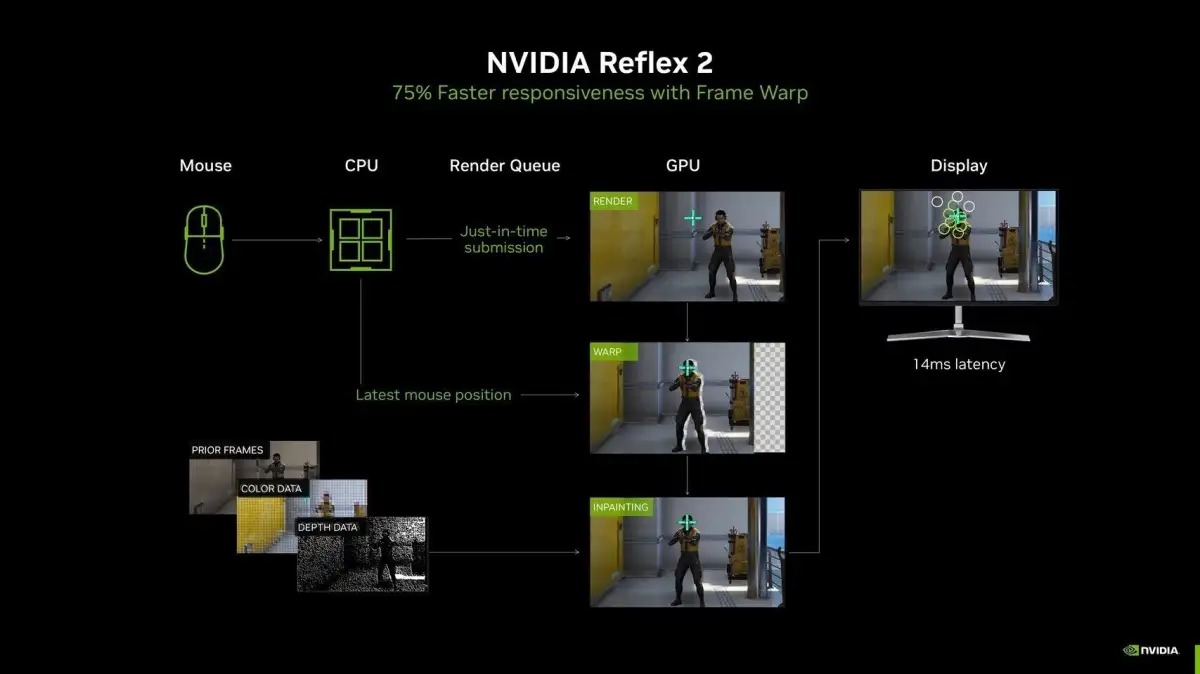
The ability to use NVIDIA Reflex on non-NVIDIA hardware is particularly noteworthy, as many games already support this feature, whereas AMD's Anti-Lag 2 has seen less widespread integration. The project bypasses the need for explicit driver-level support from AMD, NVIDIA, or Intel, functioning as a software-based workaround. The developer behind the project has indicated that NVIDIA has not commented on the status of Reflex 2 or its broader rollout plans, especially concerning features like Frame Warp. This open-source solution could fill a gap until or if official support expands.
Read More: New Metasurface Improves Cancer Heat Therapy Precision
The low_latency_layer project, hosted on GitHub, opens the door for these advanced latency-reduction features to be utilized on devices like the Steam Deck and Steam Machines, provided users are willing to manually install and configure the software.