

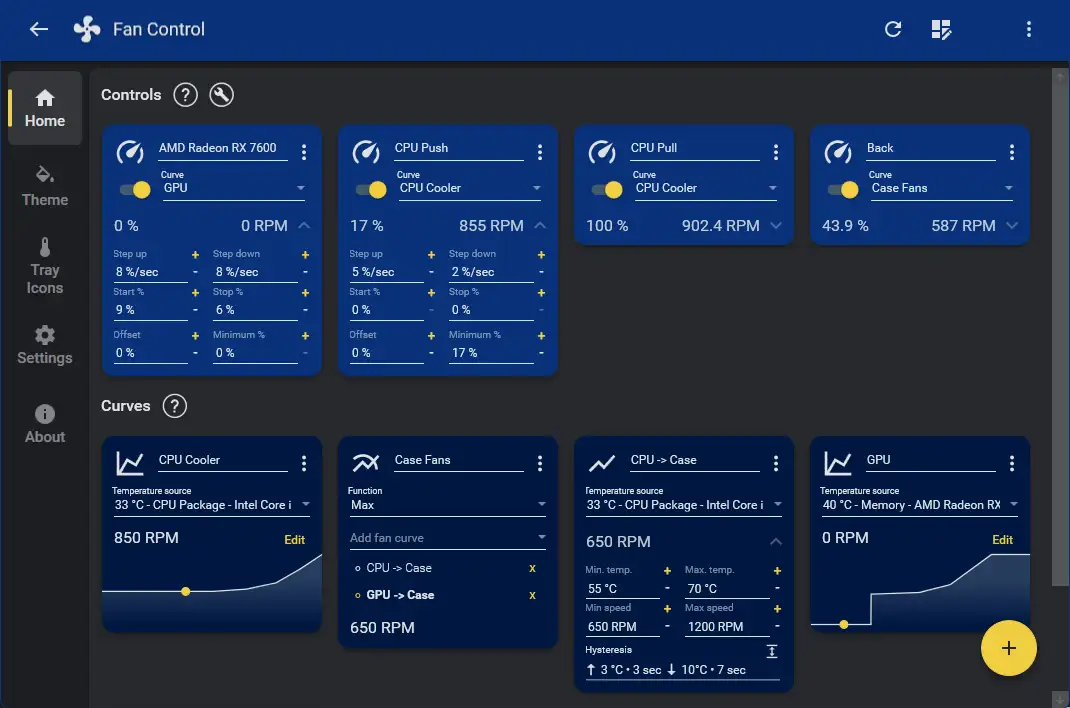
The utility known as Fan Control has established itself as the primary interface for Windows users seeking granular management of thermal regulation and internal airflow. As of 20/05/2026, the software functions as an open-source bridge, allowing users to override manufacturer-locked cooling logic by integrating directly with LibreHardwareMonitor.
The software bypasses restrictive proprietary cooling curves, granting granular command over RPM hysteresis, sensor response intervals, and multi-fan synchronization.
Modular Architecture: Built on a .NET plugin framework, the software enables third-party developers to inject custom sensor data into the cooling loop.
Dynamic Response: The system features 'mix curves,' allowing users to calibrate thermal triggers based on aggregated temperature data from the CPU, GPU, and motherboard arrays.
Operational Silence: By utilizing '0 RPM' logic, the software permits the physical halting of fans during low-load intervals, provided the connected hardware components support the state.
Technical Foundations and Integration
The software relies on the LibreHardwareMonitor backend, an iterative fork of the legacy OpenHardwareMonitor project. By stripping away the bloated interfaces common in OEM motherboard suites, the developers have focused on direct hardware register interaction.
| Capability | Impact on System |
|---|---|
| Hysteresis Control | Prevents rapid oscillation of fan speeds under fluctuating loads. |
| Sensor Aggregation | Synthesizes multiple data points into a single, cohesive cooling strategy. |
| Plugin API | Allows non-native integration for unique hardware peripherals. |
"The core logic allows for custom step-up and step-down intervals, fundamentally altering the way hardware responds to heat spikes, effectively removing the latency inherent in most motherboard firmware," according to the documentation provided by the project leads.
Contextual Development
Historically, cooling regulation was relegated to black-box BIOS settings or intrusive, proprietary software suites that often leaked telemetry data or consumed excessive system resources. The shift toward modular, community-driven control utilities like Fan Control reflects a broader trend of end-user reclaiming agency over local computing environments. By treating thermal management as a programmable variable rather than a static hardware function, the project minimizes the reliance on opaque, vendor-supplied firmware updates.
Read More: Chrome mimeHandler API lets extensions handle file types





