
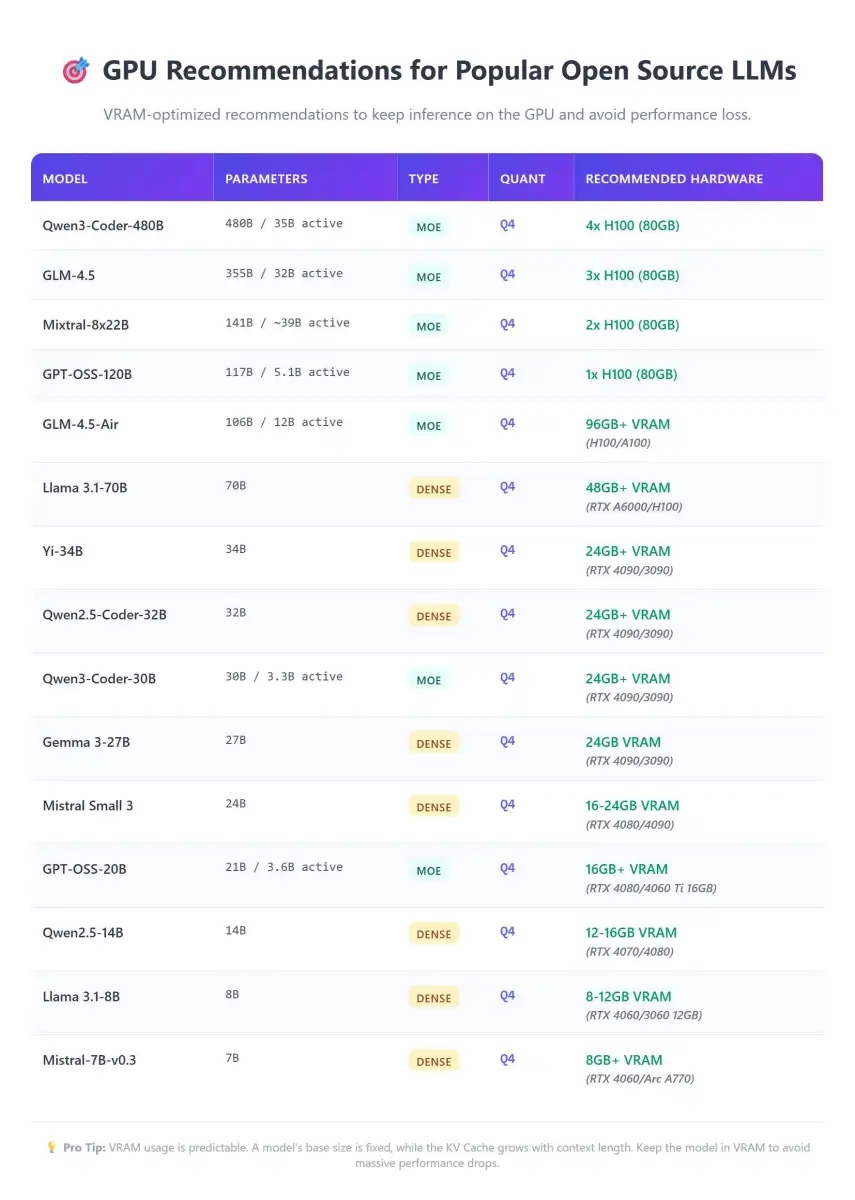
Recent discourse among local LLM operators highlights a fundamental truth: Video Random Access Memory (VRAM) capacity trumps raw processing power when it comes to running large language models locally. A graphics card with ample VRAM, even if less powerful on paper, will outperform a faster card unable to accommodate the model's size. This stark reality emphasizes a need for precise matching of GPU to model requirements, a departure from prioritizing peak computational throughput alone.
The VRAM Imperative
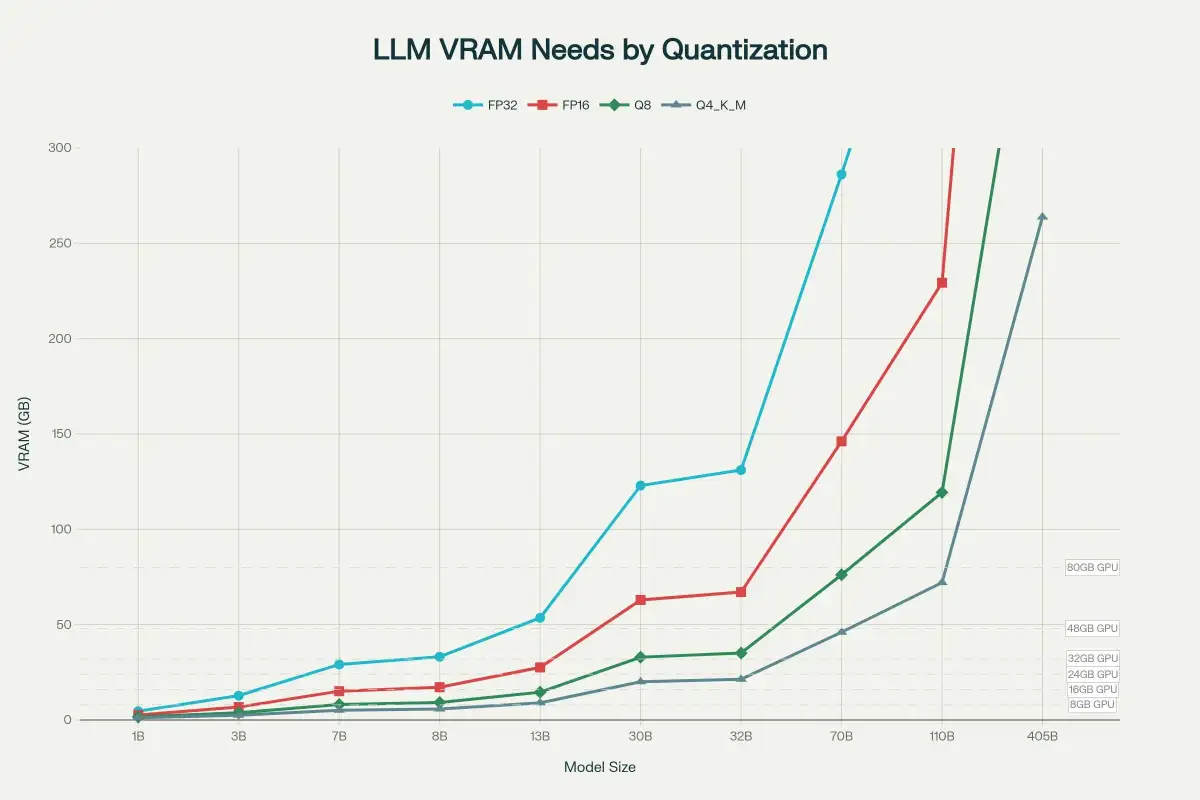
The core of the issue lies in fitting entire models within a GPU's dedicated memory. When model weights and associated data, like the KV cache, exceed available VRAM, performance plummets dramatically. What might be tens or hundreds of tokens per second on a well-matched system can degrade to a mere few, often falling below even CPU-only performance. This "spillover" scenario renders a faster, but VRAM-limited, GPU practically useless for effective local LLM inference.
Read More: Chrome mimeHandler API lets extensions handle file types
Navigating the VRAM Landscape
Guidance circulating suggests specific VRAM tiers for different model scales. For instance:
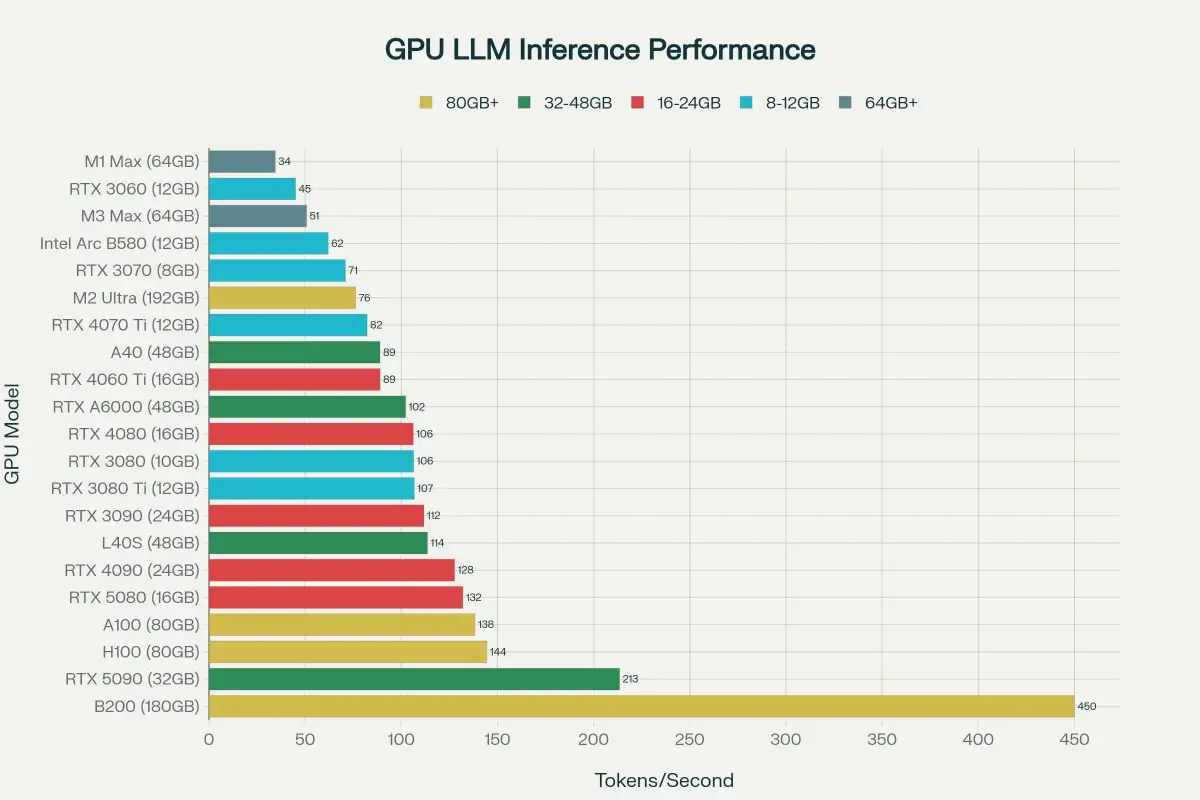
8GB VRAM cards are noted as entry-level, suitable for smaller, less demanding models.
12GB to 16GB VRAM is frequently cited as a "sweet spot," enabling the use of more capable 13B to 34B parameter models, and even 70B models with significant quantization. This tier is considered a crucial step up for enthusiasts.
24GB VRAM configurations are seen as the point where single-GPU setups become genuinely robust for running larger, more complex LLMs, including models in the 70B parameter range at lower quantization levels.
These observations stem from practical guides and benchmarks, with some sources curating VRAM tables and cost-effectiveness analyses for hardware selection.
Beyond VRAM: Memory Bandwidth and Model Complexity
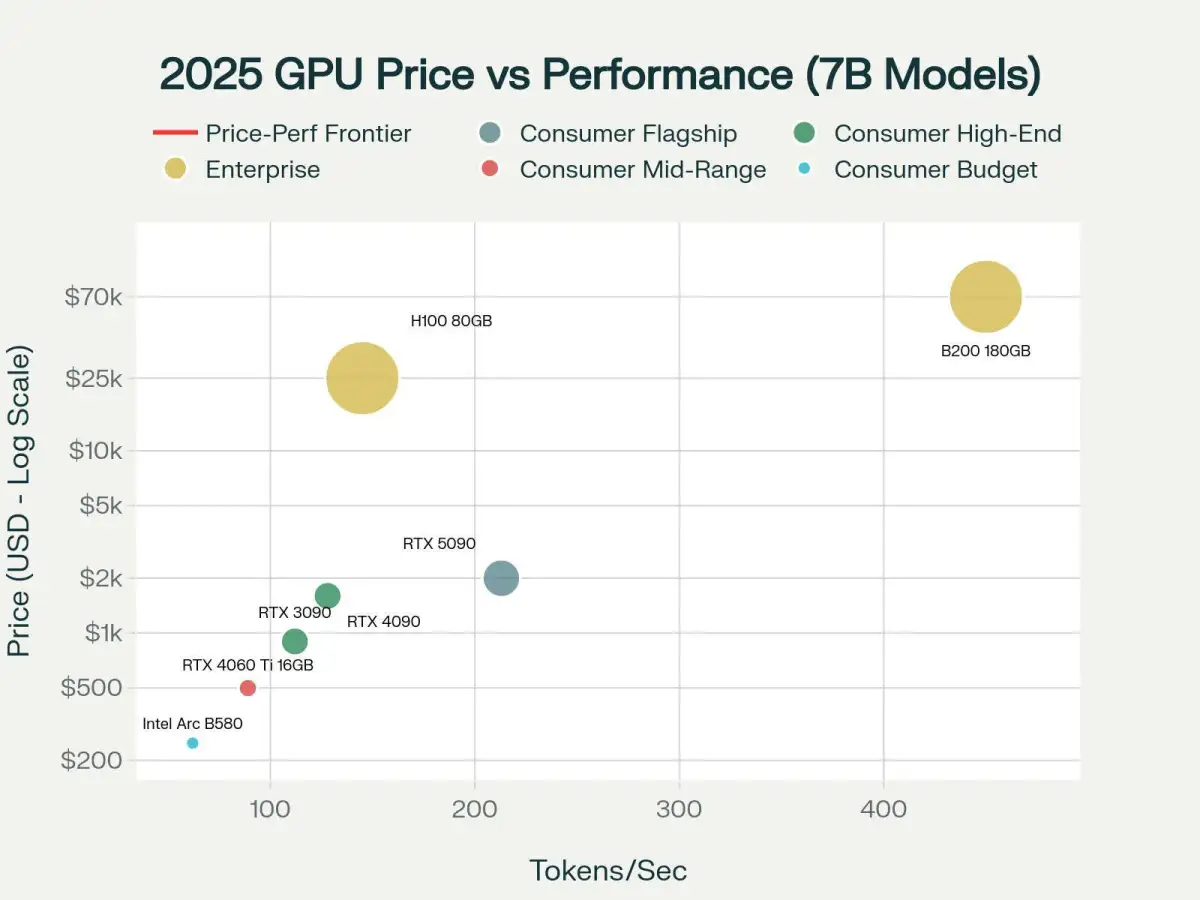
While VRAM capacity is paramount, memory bandwidth also plays a critical role, especially as model sizes increase. Large language models are often "bandwidth-bound," meaning their performance is constrained by how quickly data can be moved to and from the GPU's processing units. Graphics cards with higher memory bandwidth, often found in more advanced or professional tiers, can offer smoother inference, even if VRAM capacity is the primary gating factor.
The choice of inference framework and model architecture also introduces variables. Different engines exhibit varying efficiencies with specific model types, particularly those employing Mixture-of-Experts (MoE) designs.
Shifting Focus from Gaming to Specialized Tasks
Discussions around GPU selection for local LLMs often intersect with, but also diverge from, traditional gaming hardware considerations. While gaming PCs can be adapted, the demands of LLM inference highlight different priorities. For example, a gaming-focused recommendation still emphasizes VRAM for models like Llama 3.1 70B, suggesting aggressive quantization to fit it onto consumer-grade hardware. This indicates that while existing gaming hardware might be repurposed, understanding LLM-specific needs is essential to avoid overspending and achieve desired results.
Read More: New AI Method Maps API Logic for Safety by April 7, 2026