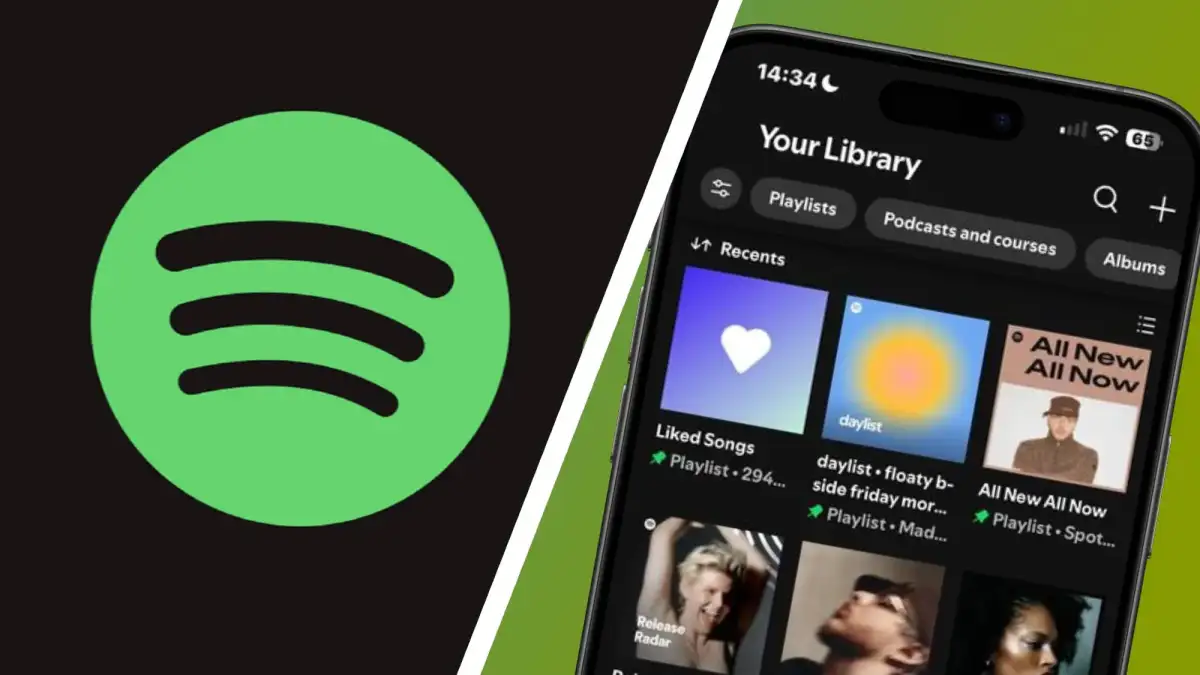
Spotify has initiated a rollout allowing mobile users to create and organize playlist folders directly within the iOS and Android applications. After over a decade of interface disparity, users can now generate new folders and relocate playlists into them by selecting the '+' icon in their library, mirroring functionality that previously existed exclusively on the desktop platform.
| Capability | Desktop Status | Mobile Status (New) |
|---|---|---|
| Create Folders | Yes | Yes |
| Organize Playlists | Yes | Yes |
| Custom Cover Art | Yes | No |
| Organize Albums | Yes | No |
Implementation and Constraints
The rollout is currently appearing for users in staggered stages. While the update grants long-sought agency over Playlist organization, the mobile iteration remains incomplete compared to its desktop predecessor. Users cannot currently assign custom cover art to these folders, and the system restricts organization to playlists, excluding albums from folder sorting.
Access the feature via the Library tab by tapping the + button.
Users report the tool allows for the grouping and categorization of playlists to reduce interface clutter.
The functionality appears to be a server-side adjustment rather than a universal version update, explaining why availability varies between different accounts and regions as of May 2026.
Historical Context of the Feature
The desktop application of Spotify has included playlist folders for approximately 15 to 16 years, serving as a standard tool for power users to manage expansive music collections. Conversely, mobile iterations of the application have historically relegated folders to a "view-only" status—users could see the folders created on a computer but were incapable of editing or reorganizing them while using a handheld device.
Read More: Chrome mimeHandler API lets extensions handle file types
This technical bottleneck had persisted despite mobile platforms accounting for the overwhelming majority of the company's Userbase. By restricting organizational tools to the desktop, the firm maintained a fractured User Experience that forced listeners to transition between devices to maintain a clean library. The current change represents an attempt at platform parity, although questions regarding further desktop features—such as full sub-folder support—remain unaddressed by official channels.