A new open-source project, low_latency_layer, is enabling NVIDIA Reflex and AMD Anti-Lag 2 support across a variety of GPUs on Linux, aiming to reduce input lag and close a persistent performance gap with Windows. This development, emerging from Korthos Software and shared via platforms like GitHub and Phoronix, allows users of AMD and Intel graphics cards to leverage technologies traditionally tied to specific hardware vendors.

The low_latency_layer acts as a Vulkan layer, implementing VK_NV_low_latency2 and VK_AMD_anti_lag device extensions. This bypasses the need for direct driver-level support from NVIDIA, AMD, or Intel, exposing these latency-reduction features directly to games. Initial benchmarks suggest this implementation performs comparably to, and in some cases better than, the native Windows versions of these technologies.

The project's flexibility is a significant aspect. It means that games which natively support NVIDIA Reflex but lack AMD Anti-Lag 2 integration can now offer a similar low-latency experience on AMD GPUs running Linux. Conversely, AMD Anti-Lag 2 algorithms can potentially be utilized on Intel integrated graphics. This breaks down vendor lock-in, providing a more uniform experience for gamers regardless of their chosen hardware.
Read More: ICE Uses Spyware in 2026 Despite Federal Rules Against It
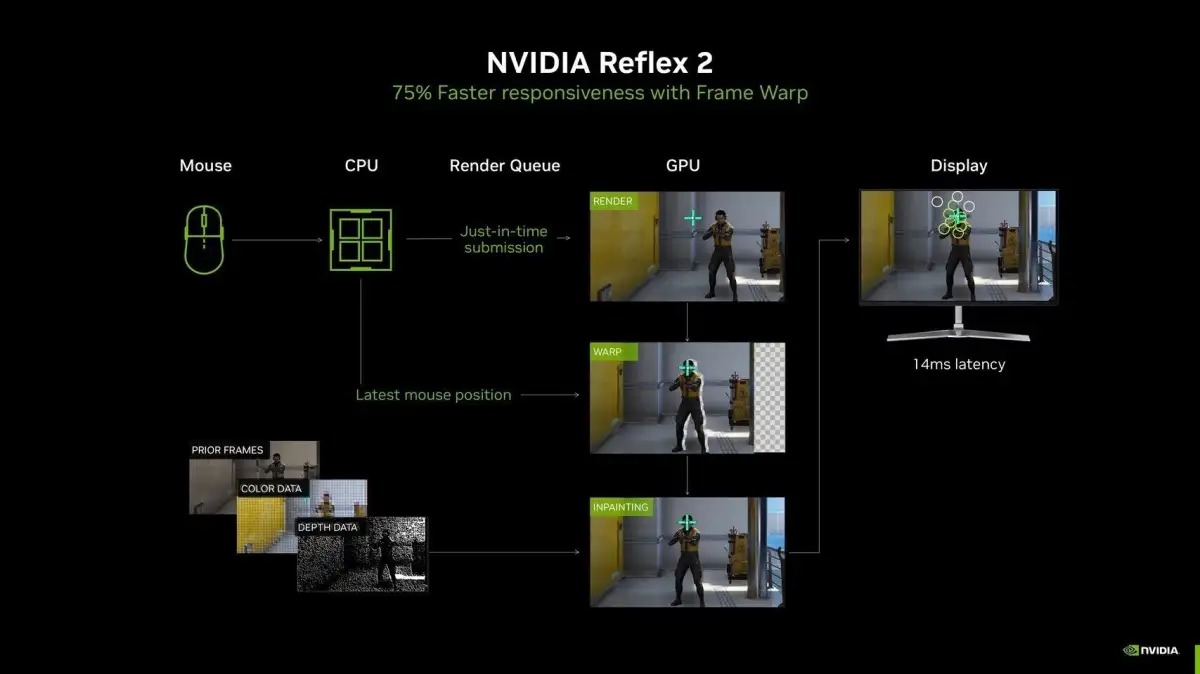
Setting up low_latency_layer requires some familiarity with the Linux terminal, including package installation and building from source. Instructions are available on the project's GitHub page. For native Linux Vulkan games, configuration is straightforward. However, for Windows games running via compatibility layers like Proton on Steam, users need to adjust Steam launch options with specific environment variables, such as PROTON_FORCE_NVAPI=1 and LOW_LATENCY_LAYER_REFLEX=1.
Historically, latency-reduction technologies have been an area where Windows held a distinct advantage over Linux gaming. While Linux has seen significant improvements in driver performance and compatibility, proprietary solutions like Reflex and Anti-Lag remained exclusive to their respective hardware. Projects like low_latency_layer represent a community-driven effort to bridge this gap, enhancing the gaming experience for a wider range of Linux users. This is particularly relevant for competitive eSports players where every millisecond of input lag can be critical.
Read More: Sony and Xbox End Game Exclusives Strategy as of May 2026