Core Findings Emerge on Local LLM Viability Without Dedicated GPUs
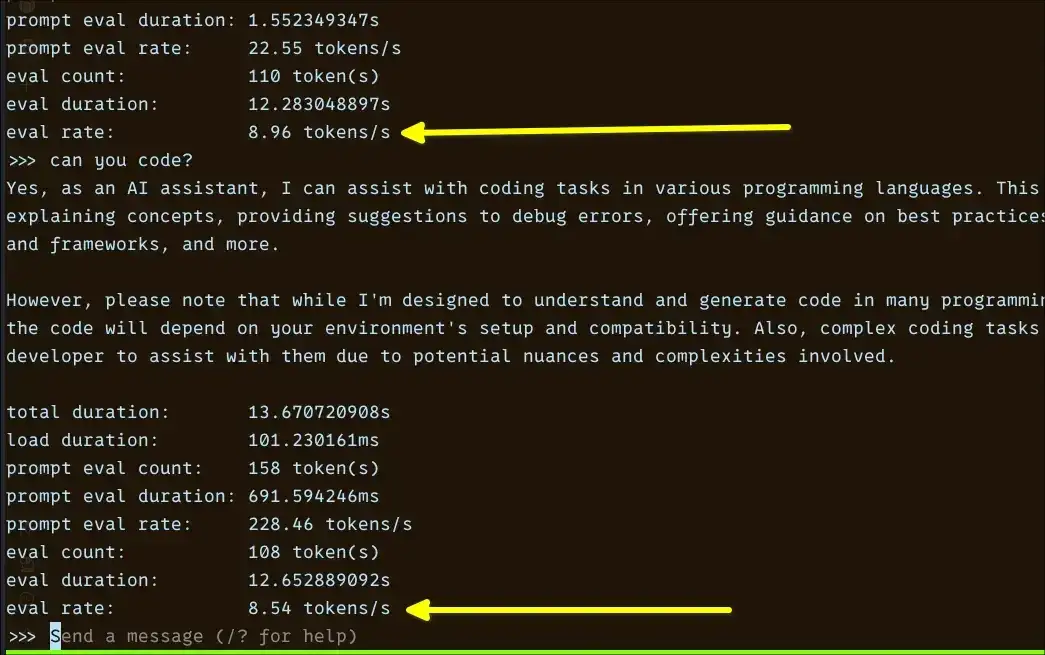
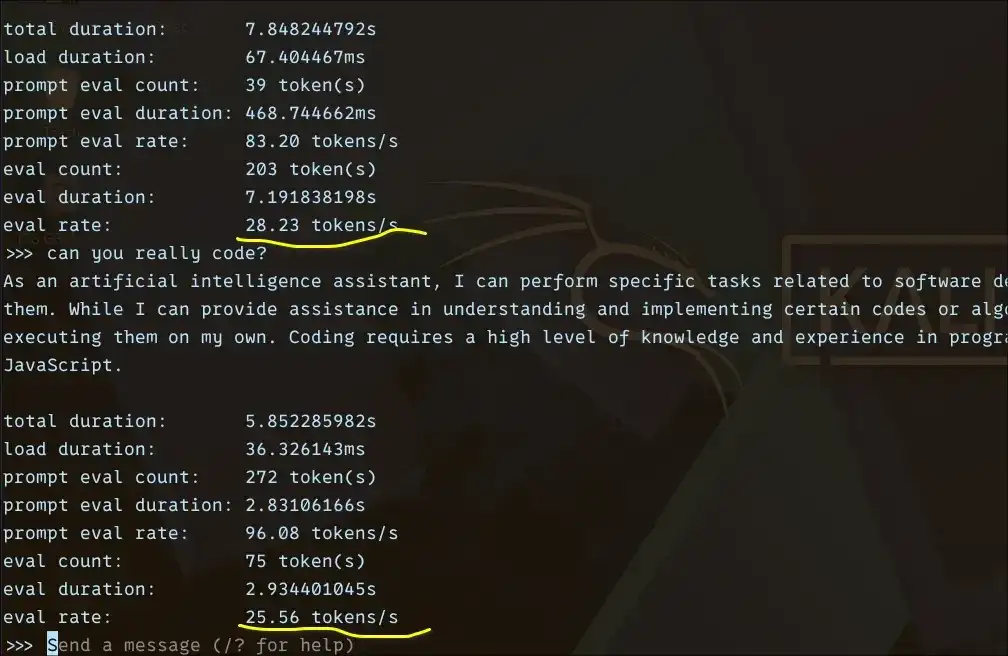
Testing on Linux reveals that tokens per second (tok/s) emerges as the critical metric for assessing the actual usability of Large Language Models (LLMs) on CPU-only setups, particularly on less powerful hardware. Models under 2 billion parameters can achieve between 18-36 tok/s, rendering them responsive for daily interaction. Models in the 3-4 billion parameter range offer a workable, albeit slower, experience at 7-10 tok/s. Larger models, exceeding 7 billion parameters, dip to 3-4 tok/s, making them more suitable for asynchronous tasks where immediate response isn't paramount.
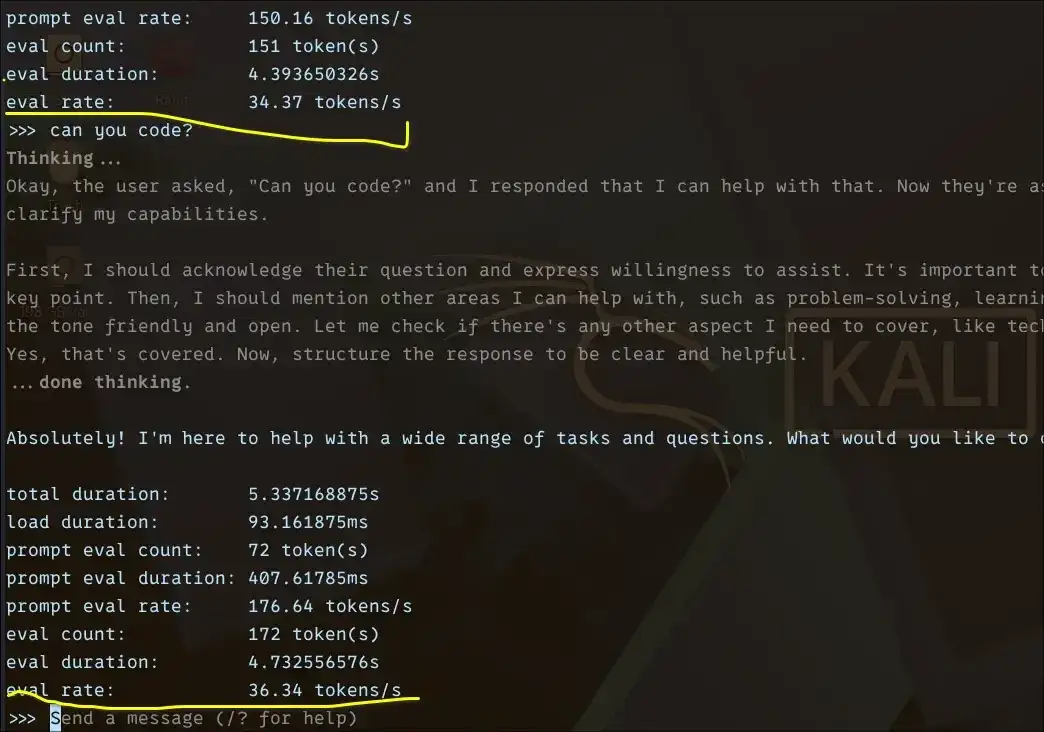
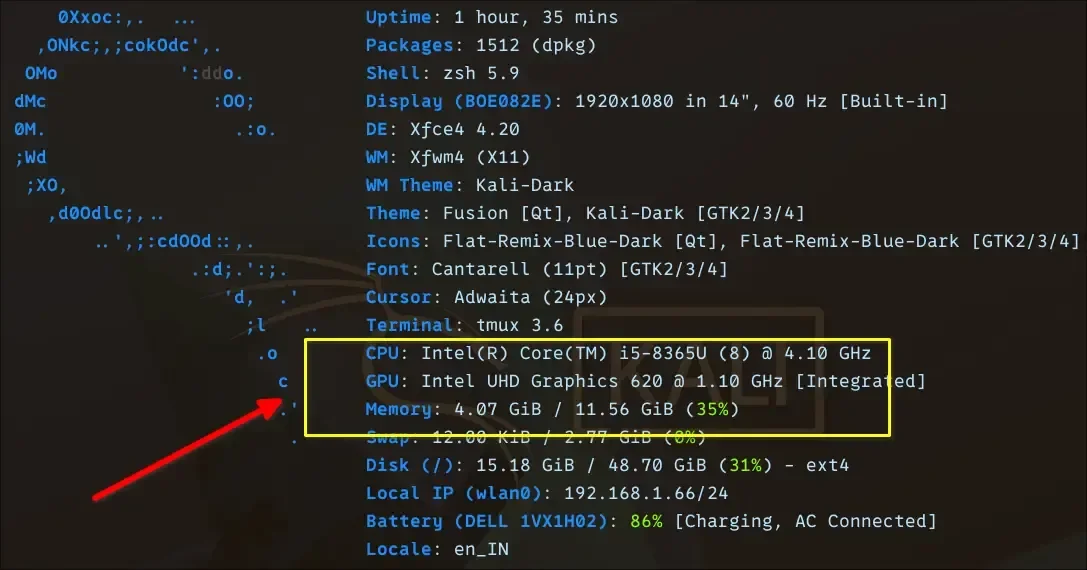
This performance envelope was established through experiments involving eight different LLMs on a laptop with an Intel i5 processor and 12GB of RAM. Specific models tested included Qwen 0.6B, TinyLlama 1.1B, Gemma 3 1B, Gemma 4 E2B, Granite 4 3B, Phi 4 Mini 3.8B, OpenHermes 7B, and Mistral 7B. The Phi 4 Mini, despite its slower pace, showed promise for tasks requiring reasoning, provided users can tolerate the increased latency.
Read More: Chrome mimeHandler API lets extensions handle file types
Quantization and Model Size Dictate CPU Performance
Strategies for Enhanced CPU Inference
The capacity to run LLMs locally without relying on powerful GPUs is heavily influenced by two key factors: model size and the implementation of quantization techniques. Quantization effectively compresses AI models, reducing their memory footprint and computational demands, thereby making them feasible for CPUs.
Quantization is presented as essential for CPU-only systems, enabling the running of larger models on consumer hardware with a minimal impact on performance. Techniques like 4-bit and 8-bit quantization are highlighted, alongside methods such as BitsAndBytes and PyTorch Ahead-of-Time (TorchAO) optimization, which facilitate efficient inference through model compression.
Model Performance Tiers
1B–2B Parameter Models: Offer the best balance of speed and responsiveness for typical daily use. Examples include TinyLlama and Gemma.
3B–4B Parameter Models: Provide a functional experience, though with noticeable slowdowns. Phi 4 Mini is noted for its reasoning capabilities within this tier.
7B+ Parameter Models: Performance drops significantly, positioning them for background or less time-sensitive operations. Mistral 7B and OpenHermes 7B fall into this category.
Broader Context: Local AI and Its Implications
The drive towards running LLMs locally, independent of cloud infrastructure, is motivated by several factors. Primary among these are the elimination of ongoing API costs and the significant advantage of maintaining data privacy, as user information never leaves the local machine. This shift also presents a valuable learning opportunity for individuals seeking hands-on experience with AI model deployment.
Read More: NVIDIA NIM API Demand Jumps, Developers Want 200 Requests Per Minute
Tooling and Ecosystem
Various tools and frameworks are emerging to facilitate this local AI movement. Ollama is mentioned as a straightforward method for getting models running on personal machines, with a command like ollama run mistral-small simplifying the process. Projects like localllm, integrated within the Google Cloud ecosystem, aim to enhance developer productivity by allowing the use of LLMs directly within cloud workstations.
Hardware Considerations and Limitations
While the focus is on CPU performance, attempts to leverage integrated graphics (iGPUs) on platforms like AMD systems have encountered difficulties. Specific issues arise from the mismatch between how tools like Ollama detect VRAM and how ROCm (AMD's compute stack) allocates memory on newer Linux kernels. This can result in iGPUs not being recognized or utilized effectively for running models, even when system memory is available. The challenge stems from ROCm's use of unified memory architecture and its interaction with the Graphics Translation Table (GTT), which can be incompatible with certain GPU detection logic.
Read More: BEREC Asks for Mobile Network API Ideas from Developers



.jpg)