

NVIDIA's CUDA platform is undergoing an update with the introduction of CUDA 13.2 as an experimental build, while simultaneously deprecating CUDA 12.8. This strategic shift aims to streamline support, particularly affecting older GPU architectures like Pascal (SM 6.0), which is noted in the support matrix for CUDA 12.6.3.
The company's decision to deprecate CUDA 12.8 stems from its perceived lack of a distinct role in the evolving CUDA ecosystem, with CUDA 13.0 established as stable and 12.6 maintained for legacy GPU support.

The new release structure sees CUDA 13.0.x positioned as the stable offering, supporting architectures from Turing (7.5) up to Blackwell (10.0, 12.0). The experimental CUDA 13.2.x build similarly targets these newer architectures, including Blackwell, Ampere, and Hopper, with added support for Blackwell on Linux aarch64 systems.
Platform Ecosystem and Tools
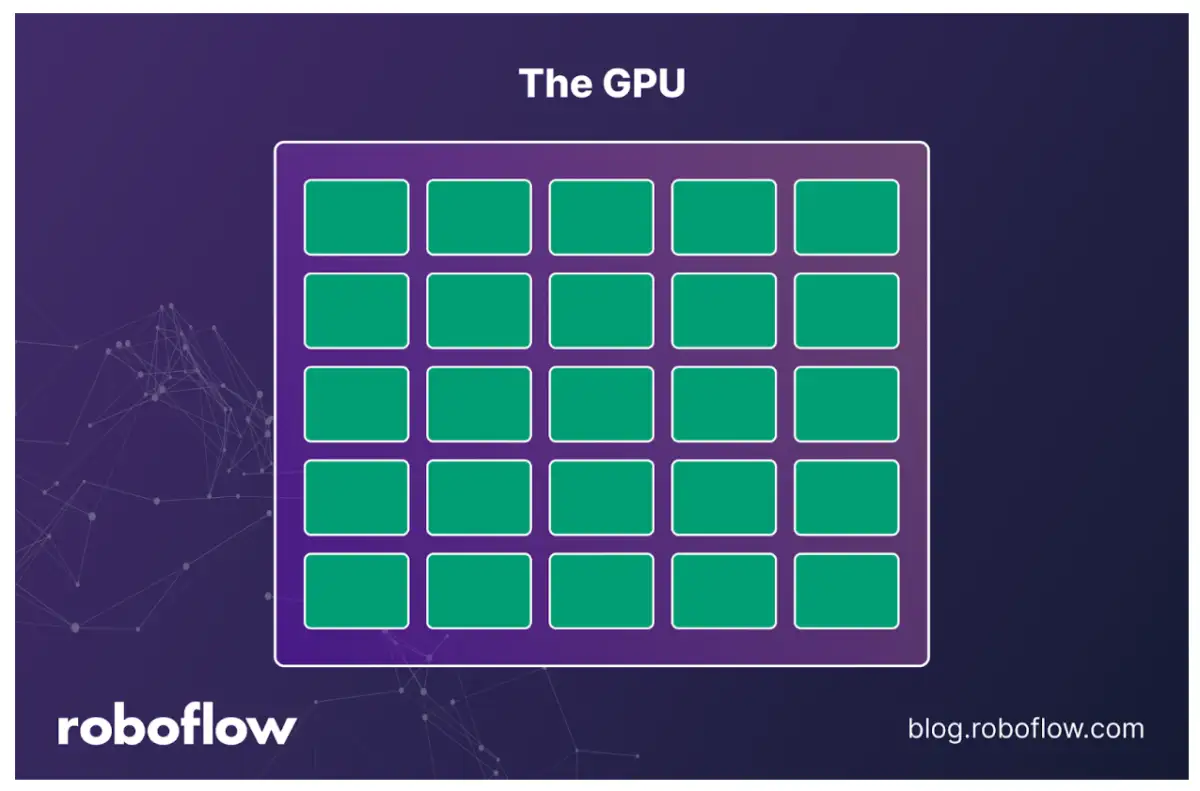
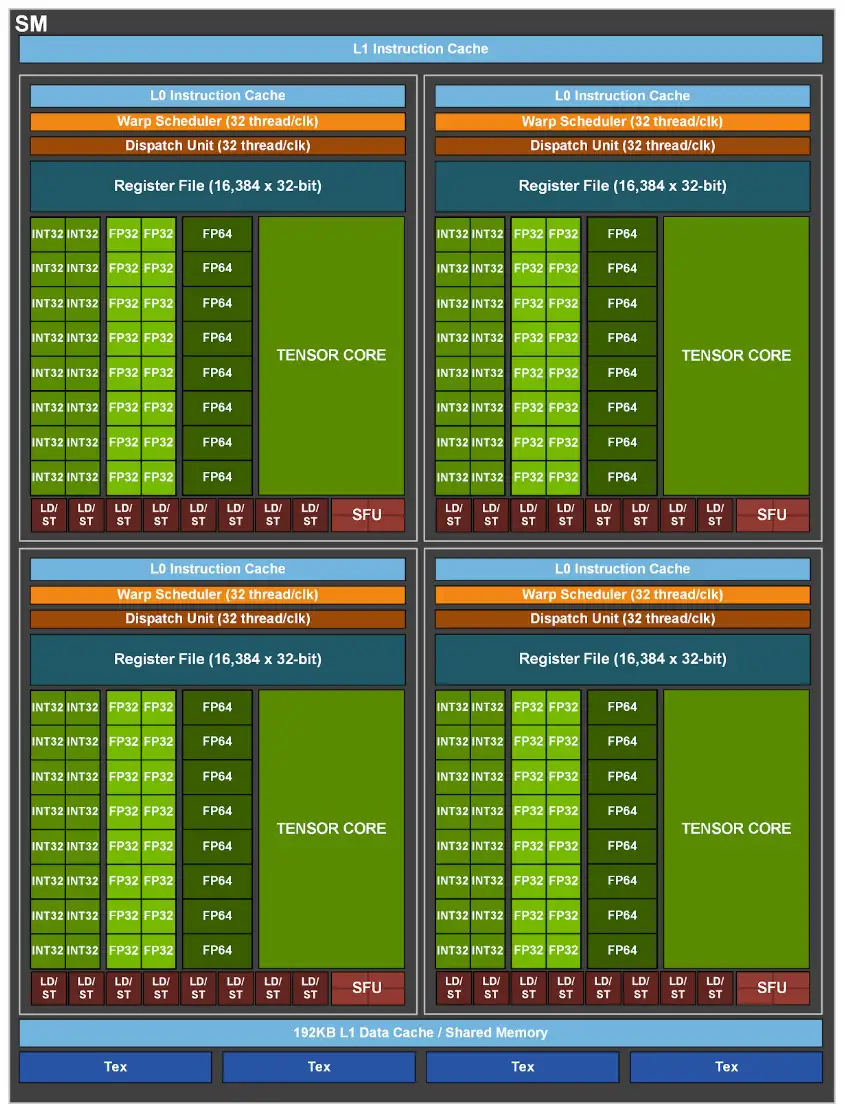
CUDA functions as NVIDIA's proprietary parallel computing platform and programming model, enabling developers to leverage the power of NVIDIA GPUs for general-purpose processing. The platform comprises hardware, software, and a programming model, with core components including CUDA Cores, also known as Streaming Processors (SP), and Streaming Multiprocessors (SMs) which form the architectural backbone of CUDA-capable GPUs.
Read More: Chrome mimeHandler API lets extensions handle file types
Key software tools associated with CUDA include:
NVCC (NVIDIA CUDA Compiler): The compiler specifically designed for NVIDIA GPUs.
CUDA Toolkit: A collection of development tools, libraries, and utilities.
Libraries and bindings simplify GPU programming for specific tasks. Examples include:
PyCUDA: Python bindings for CUDA, allowing for GPU computations directly within Python scripts.
PyCuBLAS: Python bindings focused on simplifying matrix multiplication operations.
CuPy: A drop-in replacement for NumPy that utilizes GPUs for array manipulation.
GPU Compatibility and Installation
Proper setup requires a compatible NVIDIA GPU. Users must verify their GPU model against the CUDA version's support matrix. Installation typically involves:
Checking GPU Compatibility: Identifying the specific GPU model.
Downloading the CUDA Toolkit: Selecting a version compatible with the GPU and operating system from the NVIDIA CUDA Toolkit Archive.
Removing Old Installations: Manually deleting residual NVIDIA files and environment variables to prevent conflicts.
Installing cuDNN: Copying cuDNN library files to the appropriate CUDA directories (
/usr/local/cuda/include/and/usr/local/cuda/lib64/) and setting file permissions.Framework Integration: Some frameworks, like TensorFlow, can be installed with CUDA support using commands such as
pip install tensorflow[and-cuda], often specifying compatible CUDA and cuDNN versions.
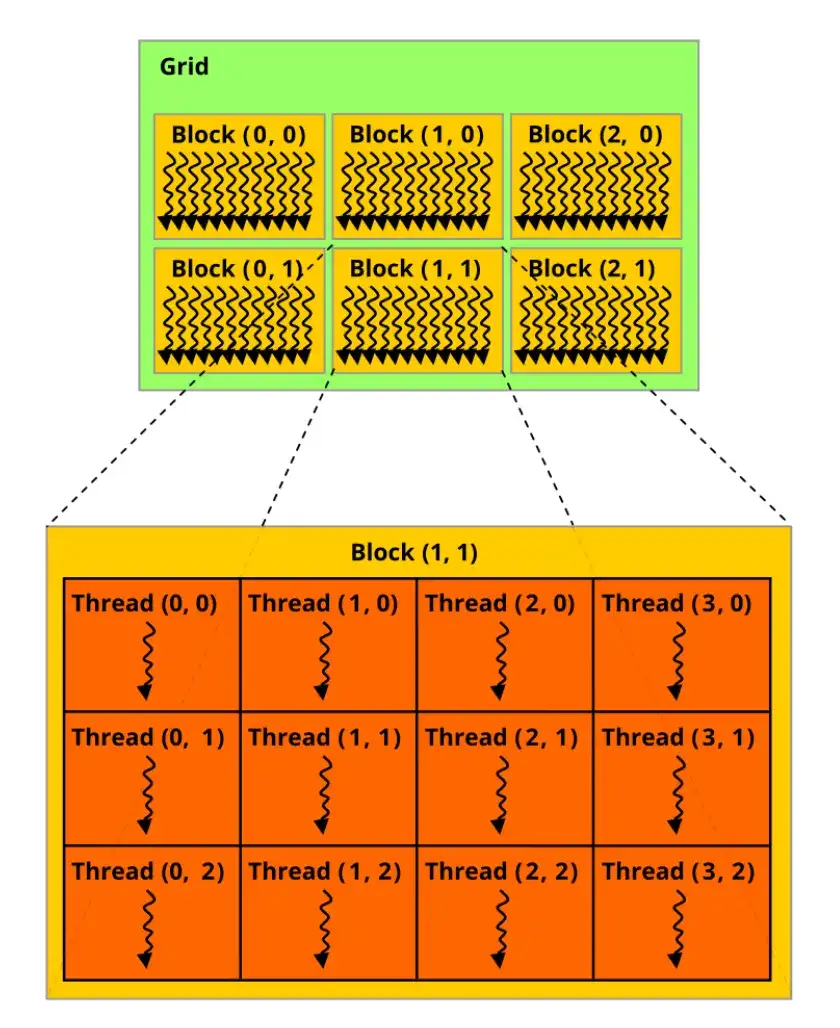
The CUDA architecture organizes processing through SMs, each containing multiple CUDA Cores. These cores operate in 'warps'—groups of 32 threads executing the same instruction on different data, a model NVIDIA refers to as SIMT (Single Instruction, Multiple Threads). This architecture facilitates high-speed parallel processing, particularly beneficial for computationally intensive tasks such as those found in computer vision and AI applications.





