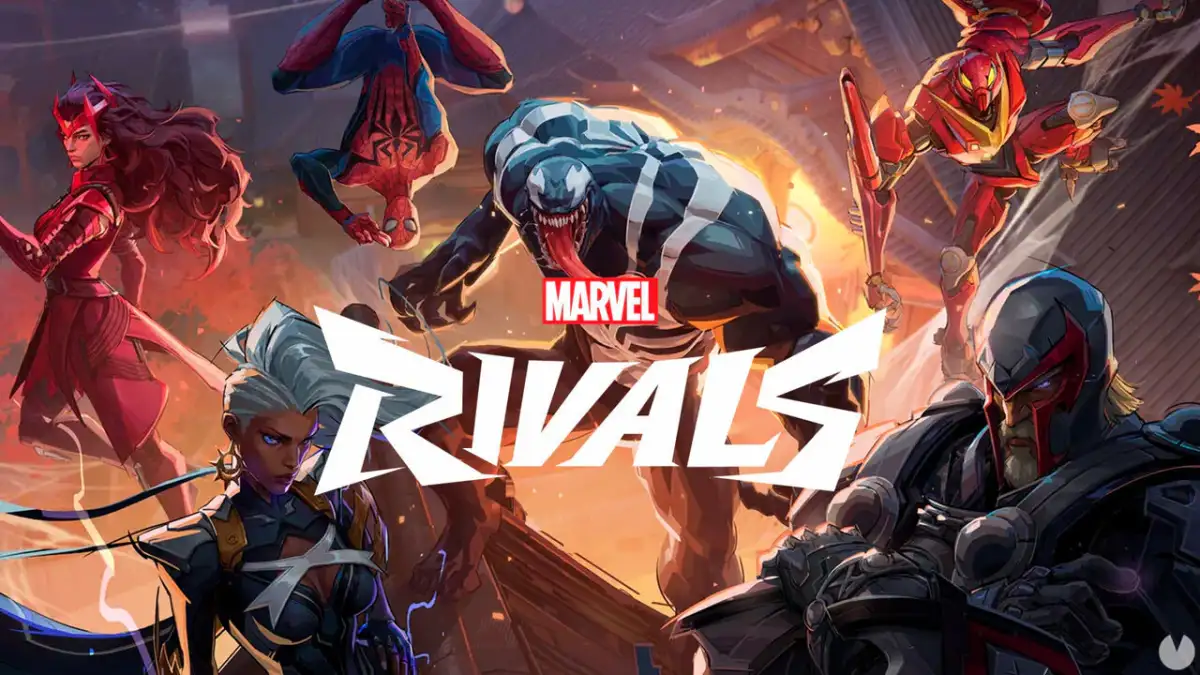
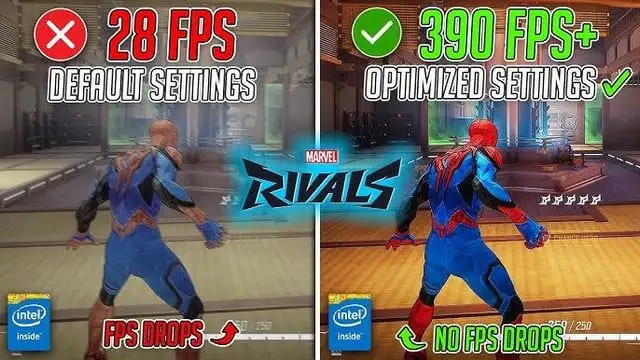
The quest for smoother frame rates in the competitive hero shooter 'Marvel Rivals' appears to be a pervasive concern among its player base. Numerous guides and community efforts are dedicated to optimizing performance, suggesting that the default experience might fall short for a significant number of users. These resources primarily focus on tweaking 'in-game settings', 'Windows adjustments', and 'graphics card configurations' to achieve a more fluid visual output.
The core of the matter revolves around balancing visual fidelity with operational speed, a trade-off inherent in demanding video games. Many sources point towards altering 'graphics quality settings' like 'model quality' and 'texture quality' as primary levers for increasing frames per second (FPS). The implication is that higher visual settings, while pleasing to the eye, impose a substantial burden on a computer's hardware, leading to noticeable performance drops.
Read More: Street Fighter 6 Year 4 Pass adds Tifa and 3 new fighters in 2026
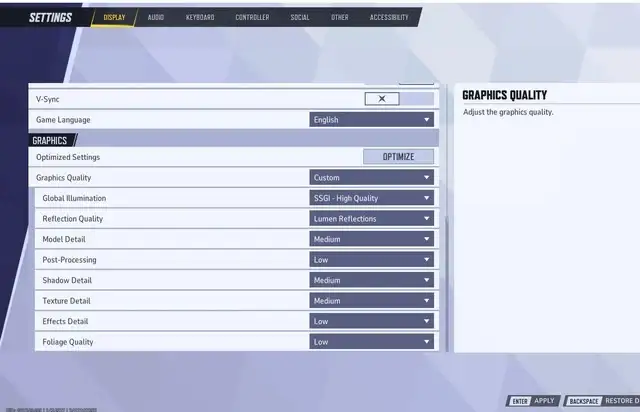
Fine-Tuning the Visual Output
Players seeking an edge are meticulously adjusting various graphical parameters. Recommendations frequently include setting 'model quality' to a 'performance mode' and lowering 'texture quality' to 'low' or 'medium', depending on the capabilities of the user's graphics processing unit (GPU). Attention is also given to specific effects like 'reflection quality' and 'global illumination', which are noted for their significant impact on performance.
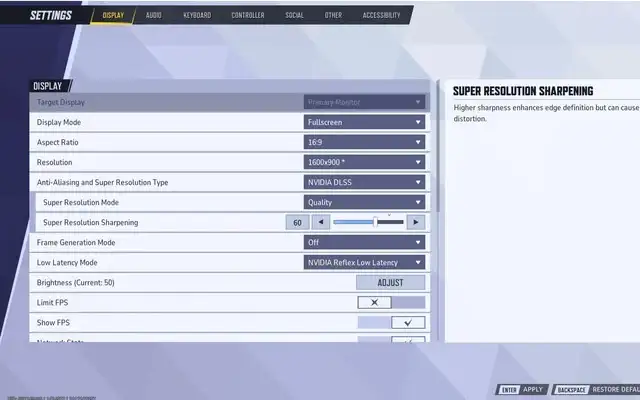
The consensus suggests that a 'fullscreen' display mode is generally preferable for maximizing FPS, as it dedicates system resources more directly to the game. Furthermore, features like 'Resizable BAR' (ReBAR) are highlighted for their potential to improve performance by allowing the CPU more direct access to the GPU's memory.
Community-Driven Solutions and Official Intervention
Beyond user-configurable settings, the 'Marvel Rivals' community has actively developed performance-enhancing tools and guides. A notable example is the 'Marvel Rivals FPS Performance Enhancer' project, described as a "community-driven optimization" aiming to improve stability and boost FPS without resorting to illicit modifications. This initiative offers detailed guides, best practices, and fixes for common issues like stuttering and lag.
Read More: 1666: Amsterdam game has new trailer and free prologue
The game's developers have also acknowledged and addressed performance concerns. Updates have been rolled out specifically to tackle issues like 'shader stutters' and improve overall stability. The introduction of a 'performance testing tool' on PC allows players to benchmark their systems and identify bottlenecks, with suggestions for optimal settings provided.
Hardware and Software Interactions
The optimization process extends beyond the game's internal settings. Ensuring that graphics drivers from both 'NVIDIA' and 'AMD' are up-to-date is frequently cited as a crucial step, given their role in providing game-specific optimizations. The performance of the underlying hardware itself is also a significant factor, with mentions of the benefits of using 'Solid State Drives' (SSDs) for potentially improved load times and smoother gameplay.
In some instances, players report experiencing visual artifacts, such as flickering when using certain 'super resolution' techniques in conjunction with anti-aliasing or specific mods. This points to a complex interplay between game engines, rendering technologies, and user-installed enhancements, where solutions for one aspect can sometimes negatively affect another.
Read More: Steam Machine GPU failure causes Red Line of Death on 7 April 2026
Background: The Ever-Present Frame Rate Debate
The emphasis on achieving high FPS in 'Marvel Rivals' is not unique to this particular title. In the realm of competitive online gaming, frame rate is often considered a critical factor that can directly influence player reaction times and overall performance. A higher, more consistent frame rate translates to smoother on-screen motion, making it easier for players to track opponents, anticipate actions, and execute precise maneuvers.
The technical demands of modern video games, especially those with fast-paced action and intricate visual detail, mean that achieving optimal performance often requires significant user intervention. While developers strive to create games that run well on a range of hardware, the sheer diversity of PC configurations means that universal optimization is a challenging endeavor. This has led to a thriving ecosystem of community-created guides, tools, and discussions, all aimed at helping players eke out the best possible performance from their systems. The situation with 'Marvel Rivals' appears to be a continuation of this ongoing dialogue between game developers, hardware manufacturers, and the end-user, all seeking that elusive perfect balance of performance and visual experience.




/content/opengraph/MTG-Top-10-Best-Commander-Cards-From-Magic-The-Gathering-Marvel-Super-Heroes-MSC-MSH.png)