


Navigating the Digital Landscape of Alerts on Android Devices
Android phones serve as critical conduits for information, from vital emergency broadcasts to personalized news updates and application-specific signals. Users can fine-tune these notifications, ensuring they receive timely information without being overwhelmed. The system allows for customization, enabling individuals to manage emergency alerts, news feeds, and application-driven alerts, thereby shaping their device's communication protocol for safety and awareness. Understanding these settings is imperative for users seeking to optimize their mobile experience and stay informed during potentially critical situations.
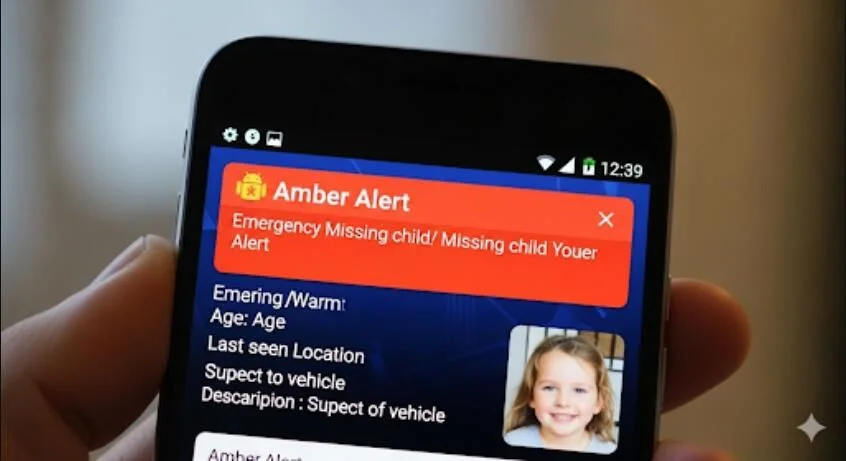
Core Functionality: Understanding Alert Types
Android devices are equipped to deliver various types of alerts:
Emergency Alerts: These are designed for critical situations, including Amber Alerts, public safety warnings, and severe weather notifications. They are often prioritized for immediate user attention.
News Alerts: Users can subscribe to news updates from various sources, enabling them to receive timely information on topics of interest directly to their devices.
Application-Specific Alerts: Many applications provide their own notification systems to alert users about new messages, updates, or other relevant activity within the app.
System Alerts: These can include notifications about data usage limits or other device-specific information.
Accessing and Configuring Notification Settings
The process for managing alerts on Android devices generally involves navigating through the device's settings menu. While the exact pathway may differ slightly based on the phone's manufacturer and Android version, the core steps remain consistent:

Locate Device Settings: Users typically find the "Settings" icon on their home screen or app drawer.
Navigate to Notification or Safety & Emergency: Within the settings, options like "Notifications," "Sound & vibration," or "Safety & emergency" are common pathways to alert configurations.
Customize Alert Types:
Emergency Alerts: Users can often find specific sections for "Wireless emergency alerts" or "Emergency alerts" where they can enable or disable categories such as Amber Alerts, weather warnings, and other public safety messages. Some settings may allow for the customization of alert sounds and durations.
News Alerts: For news notifications, users might need to configure settings within specific news applications or through general notification settings for those apps.
App Notifications: Most apps have dedicated notification controls within the device's main notification settings, allowing users to turn alerts on or off, or to regulate their behavior.
Key Considerations for Alert Management
Carrier Influence: Some alert settings, particularly for emergency broadcasts, may be influenced by the user's mobile carrier. In cases where specific settings are not readily found, carriers might integrate them into broader public safety alert categories.
App Dependency: For app-specific alerts, such as those from trading platforms or messaging services, ensuring the app is installed and its notification permissions are enabled is a prerequisite.
Data Usage: While not directly an alert setting, users managing mobile data may set limits or warnings to avoid exceeding their data plan, which can indirectly affect their ability to receive certain online notifications.
Notification Reminders: Some systems offer a "Notification reminder" feature to ensure alerts are not missed, providing a secondary prompt for important notifications.
Challenges and User Experiences
Some users have reported issues with receiving alerts, particularly text-based notifications from specific platforms like Facebook. Troubleshooting such problems can involve examining both device-level notification settings and app-specific configurations. The efficacy of alerts can also be a concern, as some systems may display alerts in a manner that makes them difficult to review after acknowledgment, such as an alert box with a simple "OK" button that dismisses the message permanently.
Read More: Chrome mimeHandler API lets extensions handle file types
Expert Insight
"Effective alert management on Android is a balance between preparedness and control. While critical alerts are designed to be unmissable, users have substantial agency in tailoring other notification streams to their individual needs, ensuring a more streamlined and less intrusive mobile experience."
— Extracted from general user interface design principles.
Conclusion
Android devices offer a comprehensive framework for managing a wide array of alerts. Users can effectively configure emergency notifications for safety, tailor news updates for information, and control application-specific alerts. The ability to customize these settings is a powerful feature, though understanding the nuances of different alert types and their access points within the device's operating system is crucial for optimal utilization. For troubleshooting, a systematic approach, checking both device and application settings, is generally recommended.
Sources
Android.com: Provides official guidance on managing wireless emergency alerts, emphasizing their role in critical situations and outlining customization options.
Link:
https://www.android.com/articles/emergency-phone-alerts-android/Android Central: Offers detailed instructions on enabling and disabling various emergency, weather, and Amber alerts on Android phones, highlighting user control.
Link:
https://www.androidcentral.com/phones/how-to-enable-or-disable-emergency-weather-and-amber-alerts-on-your-android-phoneGoogle Search Help: Explains how to manage notifications from the Google app, including turning them on or off for specific topics or generally.
Link:
https://support.google.com/websearch/answer/9919653?hl=en&co=GENIE.Platform%3DAndroidSitepoint Community: Documents a user's specific issue with receiving text alerts from Facebook on an Android phone, illustrating potential platform-specific conflicts.
Link:
https://www.sitepoint.com/community/t/how-do-i-ensure-i-properly-get-text-alerts-on-my-android-phone/434948Simpler Trading Help Center: Details global device settings for enabling alerts on Android, focusing on mobile app notification requirements.
Link:
https://intercom.help/simpler-trading/en/articles/3401033-mobile-app-global-device-settings-to-enable-alerts-on-android-devicesAndroid Authority: Provides instructions on setting mobile data limits on Android phones, a feature related to data usage management.
Link:
https://www.androidauthority.com/set-mobile-data-limit-android-phone-647002/Glance.com: Offers a step-by-step guide on setting up news alerts on Android phones.
Link:
https://glance.com/articles/how-to-set-up-news-alertsVerizon Support: Refers to managing app alerts and notifications on Android devices, with a note on session expiration.
Link:
https://www.verizon.com/support/knowledge-base-211621/Oscal.hk: Discusses how to turn Amber alerts on or off within Android phone settings.
Link:
https://www.oscal.hk/blog/phones/how-to/turn-off-amber-alerts-in-androidGreenbot.com: Details how to change settings for emergency alerts on Android phones, including sound duration.
Link:
https://www.greenbot.com/article/2689993/how-to-change-settings-for-emergency-alerts-on-android-phones.htmlAndroid Stack Exchange: Addresses the question of recalling or reviewing Wireless Emergency Alerts (WEA) on Android devices.
Link:
https://android.stackexchange.com/questions/67354/how-to-recall-or-review-wea-alerts-e-g-amber-alerts





