

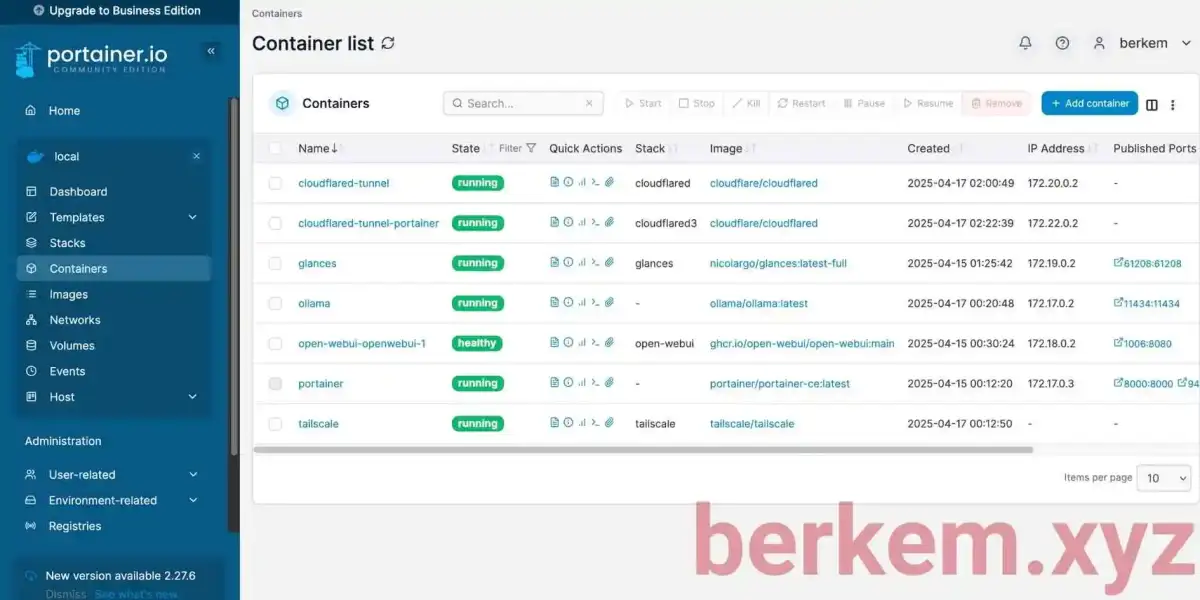
A Raspberry Pi Zero, often overlooked for more powerful computing, is proving to be a valuable addition to home laboratory setups. Its low power consumption and small size make it suitable for dedicated tasks like network-wide ad blocking and system monitoring. This small device can maintain essential services even during broader internet outages by operating independently of cloud infrastructure, thus enhancing the overall uptime and accessibility of a homelab.

The inclusion of a Raspberry Pi Zero in a homelab configuration centers on leveraging its unique attributes for specific, low-demand tasks. While not a powerhouse, its ability to run essential services like DNS filtering (e.g., Pi-hole) and system monitoring (e.g., Glances) with minimal power makes it an economical and efficient component. Its independence from complex systems allows it to function as a reliable backbone for accessing self-hosted services, particularly when larger network components or internet services experience disruptions.
Read More: Chrome mimeHandler API lets extensions handle file types
Core Functionality and Implementation
The Raspberry Pi Zero, especially models like the Pi Zero W and Pi Zero 2W, can effectively manage specific network functions.
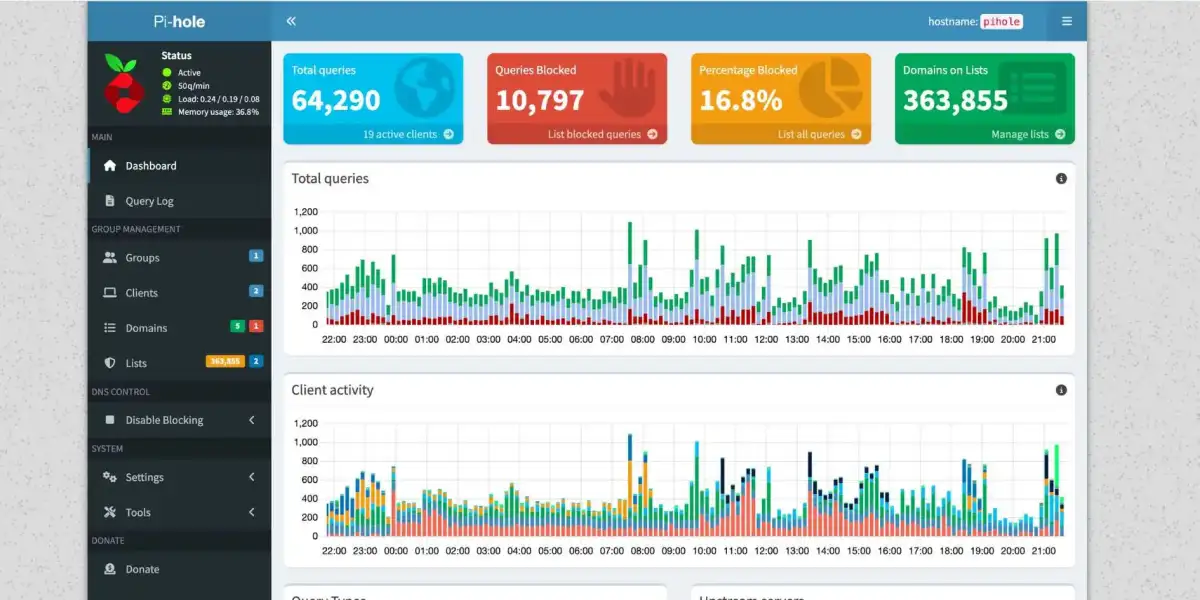
DNS Filtering: By configuring a router's DNS server to point to the Pi Zero running Pi-hole, users can achieve network-wide ad blocking. This setup is designed to be simple, requiring only the Pi Zero to be connected to the network.
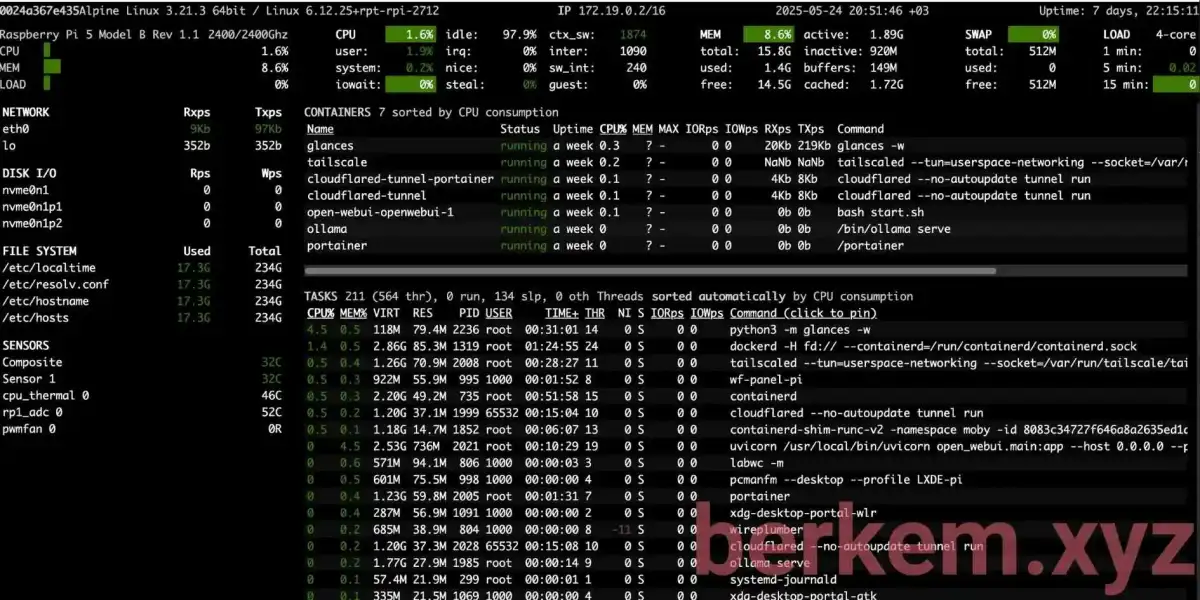
System Monitoring: Tools like Glances can be run on a Pi Zero, providing real-time system performance metrics. A docker container is a common method for deploying such applications.
Power Independence: Coupling the Pi Zero, modem, and router with a battery backup system ensures continued operation during power interruptions, a critical factor highlighted by past third-party outages.
Hardware and Performance Considerations
The performance expectations for a Raspberry Pi Zero in a homelab context need careful calibration against its hardware limitations.

Speed Limitations: For demanding network speeds, particularly full gigabit, more capable Raspberry Pi models like the Pi 4B, 400, Pi 5, or 500 are recommended.
Resource Constraints: The Pi Zero W, with its single-core CPU and 512MB RAM, benefits from lightweight operating systems like DietPi, which is optimized for resource-constrained devices.
Scalability and Efficiency: Designing a homelab involves considering scalability to accommodate evolving needs and the energy efficiency of the hardware used. Dual-purpose hardware and adaptable designs contribute to a sustainable setup.
Network Access and Security
Securing and accessing a homelab, especially when external to the home network, requires strategic planning.
Local Access Methods: Within the local network, access is commonly managed through SSH for command-line interface operations, WireGuard VPN for secure private connections, and VNC for graphical access.
Remote Access Security: Establishing secure access from outside the home network is paramount. Configurations often involve disabling password authentication for SSH in favor of public key authentication, enhancing security.
SSH Configuration: Detailed SSH configuration can involve parameters like
PermitRootLogin no,MaxAuthTries 3, andPubkeyAuthentication yes. Specific user access, such asAllowUsers hector, can also be defined.
Implementation and Management
Setting up and maintaining a homelab environment often involves utilizing containerization and established deployment guides.
Containerization: Docker and Docker Compose are frequently used to deploy and manage various services. This approach simplifies the setup of applications like Portainer for Docker management, Watchtower for automatic updates, and Nginx Proxy Manager for reverse proxying.
Comprehensive Guides: Detailed guides, such as those outlining the setup of Proxmox VE as a hypervisor, demonstrate step-by-step processes for creating virtual machines, installing operating systems, and configuring essential services.
Dedicated Devices: Using a dedicated Pi for tasks like ad filtering ensures that filtering remains active even if other primary servers undergo reboots.
Expert Analysis and Use Cases
The utility of a Raspberry Pi Zero in a homelab is frequently discussed in technical communities and online guides.
"The Raspberry Pi Zero a tiny, low-power, and not considered a prime candidate for self-hosting. Fortunately, a Glance server requires almost no power to run if you keep things simple." - HowToGeek.com
"All advice given is based on my experience. it worked for me, it may not work for you." - Raspberry Pi Forums User
"Energy efficiency is a critical consideration when designing your home lab. Imagine a setup where your devices hum along efficiently, your network is secure and segmented, and automation takes care of repetitive tasks—all while keeping your energy footprint minimal." - Geeky-Gadgets.com
These perspectives highlight the balance between the Pi Zero's capabilities and the practical demands of homelab operations, emphasizing efficiency and the potential for personal learning experiences that rival formal education.
Conclusion
The Raspberry Pi Zero serves as a pragmatic and cost-effective component within a homelab, particularly for roles requiring minimal resource allocation and high availability. Its capacity to host fundamental services like DNS filtering and system monitoring, combined with its low power draw, makes it an attractive option for users aiming to build resilient and efficient home networks. The ability to maintain essential network functions during external disruptions underscores its value. For users seeking to expand their homelab capabilities without significant financial investment or increased energy expenditure, the Raspberry Pi Zero offers a viable solution for specific, dedicated tasks.
Read More: BEREC Asks for Mobile Network API Ideas from Developers
Sources
HowToGeek.com: "This is why I added a Raspberry Pi Zero to my homelab setup"
Link: https://www.howtogeek.com/this-is-why-i-added-pi-zero-to-my-homelab-setup/
Context: Provides a user's perspective on integrating a Raspberry Pi Zero for specific homelab functions, emphasizing resilience during outages.
Raspberry Pi Forums: "Help with beginner's homelab setup"
Context: A community discussion offering advice and sharing experiences on homelab setups using Raspberry Pi, including hardware recommendations.
Geeky-Gadgets.com: "Build a Smarter Home Lab Without Breaking the Bank or the Planet"
Link: https://www.geeky-gadgets.com/raspberry-pi-home-lab-design/
Context: Discusses the design principles of homelabs, focusing on scalability, energy efficiency, and adaptability.
dataengineeringtoolkit.substack.com: "My Raspberry Pi Homelab Taught Me More Than Any DevOps Course"
Link: https://dataengineeringtoolkit.substack.com/p/my-raspberry-pi-homelab-taught-me
Context: Shares personal learning experiences with Raspberry Pi homelabs, covering network access strategies and hardware limitations.
berkem.xyz: "7 Raspberry Pi HomeLab Projects You Will Actually Use in 2026"
Link: https://berkem.xyz/blog/raspberry-pi-homelab-projects/
Context: Presents practical homelab projects using Raspberry Pi, including guides for Pi-hole and system monitoring tools.
hectortoral.com: "Build Your Own Raspberry Pi Homelab"
Context: A guide to building a Raspberry Pi homelab, detailing specific configuration steps, particularly for SSH security.
automate-that.io: "Getting Started with Your First Homelab - Beginner's Guide"
Context: A beginner-friendly guide to starting a homelab, covering hardware selection and initial setup steps.
ahmed86-star.github.io: "🚀 The Complete Homelab Setup Guide - From Zero to Hero"
Link: https://ahmed86-star.github.io/posts/Complete-Homelab-Setup-Guide/
Context: An extensive guide detailing the setup of a homelab infrastructure, including hypervisors, containerization, networking, and security.
nicholaswilde.io: "Raspberry Pi Zero W - Homelab"
Context: Details the configuration of a Raspberry Pi Zero W for homelab use, highlighting the choice of DietPi for its lightweight nature.



