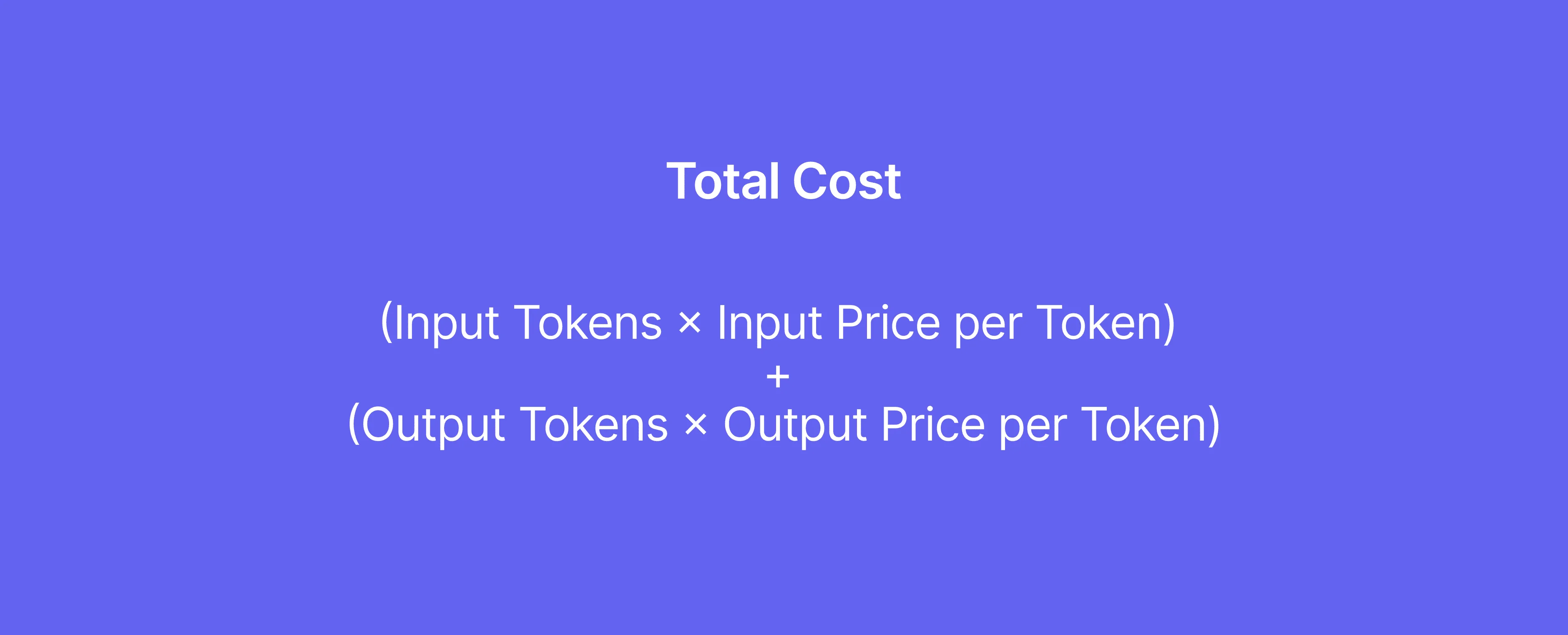
Developers using the Cursor IDE report a significant lack of transparency regarding the per-query costs of their AI interactions. Users are unable to directly correlate their specific code generation, chat, or agent actions within the IDE to the broader usage and billing data available on the Cursor website. This disconnect makes it difficult to manage or even understand the financial implications of individual AI requests.
==The core issue lies in the absence of a visible "Usage" or "Billing" section within the Cursor IDE itself. While token counts and costs are visible on the Cursor.com dashboard, matching these figures to distinct actions performed inside the editor proves to be an approximate and laborious guessing game, often relying on imprecise timestamps.**

Tokenomics Remain a Black Box Within the Editor
The mechanics of how Large Language Models (LLMs) accrue costs are tied to 'tokens'. These tokens represent chunks of text processed as input and generated as output. The input tokens are the prompts and context fed to the model, while output tokens are the responses generated. Costs are directly influenced by both. For instance, chat histories and contextual information stored in a 'cache' can also contribute to token counts used in later steps.
Read More: Chrome mimeHandler API lets extensions handle file types
"There is no visible “Usage” or “Billing” section in Cursor IDE settings."
Even when models generate outputs, the token count for these responses contributes to the overall expense. The complexity and size of the model used also play a substantial role; more advanced models like GPT-4 carry a higher per-request cost than simpler ones.

Navigating the LLM Cost Landscape
Outside the confines of the Cursor IDE, various resources attempt to demystify LLM pricing. These often break down costs based on input and output token usage, with some providers detailing costs per thousand tokens. Tools exist, such as cost calculators, that allow users to estimate and compare expenses across different LLM providers and models, factoring in average token usage and request volumes.
"100 tokens ≈ 75 words"
For developers looking to manage these costs, understanding the tokenizer – the tool used by providers to count tokens – is essential. This allows for more accurate estimations of prompt sizes and better selection of models suited for specific tasks. The concept of a 'context window', the amount of text an LLM can consider at once, also directly impacts token counts and, consequently, costs, especially in extended conversations or document analysis.
Read More: Why Manual Prompt Editing Is Better For AI Apps In April 2026
Background: The Evolving LLM Economy
The increasing integration of LLMs into development workflows has brought the issue of cost management to the forefront. Developers and businesses are increasingly focused on understanding the 'unit economics' of AI, aiming to build cost-optimized strategies. This involves not just looking at API costs but also considering the underlying compute expenses tied to model size and complexity. The pricing structures of LLMs are dynamic, influenced by factors like token rates, model tiers, and the volume of usage. Providers offer varying pricing schemes, and while local or self-hosted models might eliminate API fees, they introduce hardware investment requirements.